jQuery UI 日期選擇器(Datepicker)深入解析
編輯:JQuery特效代碼
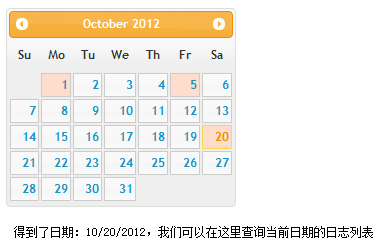
日期選擇器是表單中不可或缺的一環。預設情況下,日期輸入框取得焦點時會彈出日曆面板,失去焦點或選好日期後自動關閉。呼叫方式為 $(selector).datepicker([options]);。
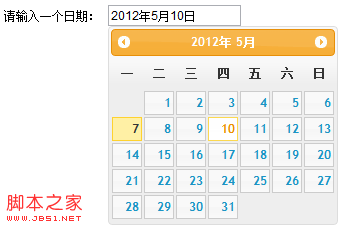
一、中文化基本設定
$("#inputDate").datepicker({
  dayNamesMin: ["日", "一", "二", "三", "四", "五", "六"], // 周名
  firstDay: 1,                                            // 每周從周一开始
  monthNames: ["1月", "2月", "3月", "4月", "5月", "6月",
    "7月", "8月", "9月", "10月", "11月", "12月"],
  showMonthAfterYear: true,   // 月份顯示在年後面
  yearSuffix: "年",
  dateFormat: "yy年MMdd日"
});
二、以圖片按鈕彈出
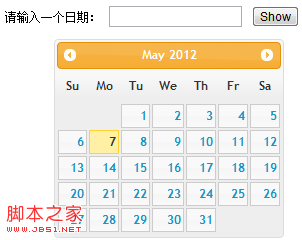
$("#datepicker").datepicker({
  showOn: "button",
  buttonImage: "Images/calendar.gif",
  buttonImageOnly: true
});
三、年、月下拉與按鈕面板
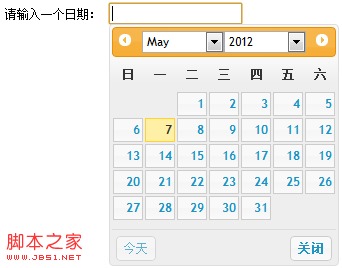
$("#inputDate").datepicker({
  changeMonth: true,       // 可選擇月份
  changeYear: true,        // 可選擇年份
  showButtonPanel: true,   // 顯示按鈕面板
  currentText: '今天',
  closeText: '關閉',
  yearRange: 'c-60:c+20'
});
四、同時顯示多個月
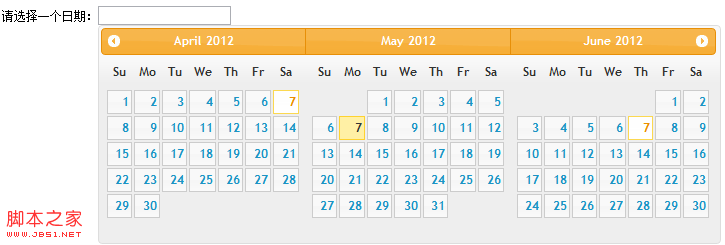
$("#datepicker").datepicker({
  numberOfMonths: 3,   // 顯示月份的個數
  showCurrentAtPos: 1, // 當前月份在第二個位置
  stepMonths: 3        // 翻頁時一次跳過三個月
});
五、常用方法
包含 dialog、isDisabled、hide、show、refresh、getDate、setDate 等。例如以對話框方式開啟:
$("#inputDate").datepicker("dialog", "", function (dateText, inst) {
  $("#inputDate").val(dateText);
});
六、常用事件
· beforeShow:顯示前觸發
· beforeShowDay:每一天渲染前觸發 function(date){}
· onChangeMonthYear:切換年月時觸發 function(year, month, inst)
· onClose:關閉時觸發 function(dataText, inst){}
· onSelect:選中日期時觸發 function(dataText, inst){}
搭配 beforeShowDay 可為特定日期加上自訂樣式(例如標記有記錄的日子),onSelect 則能在選取後觸發查詢等行為,彈性十足。
- 上一篇文章: jQuery UI 按鈕(Button)元件深入解析
- 下一篇文章: jQuery UI 排序(Sortable)元件深入解析