以 jQuery 打造點擊煙火效果
編輯:JQuery特效代碼
點一下畫面就噴出煙花,是純粹用 DOM 與 CSS 定位堆出來的動效,很適合用來練習「多元素協同運動」與「隨機參數」這兩個主題。
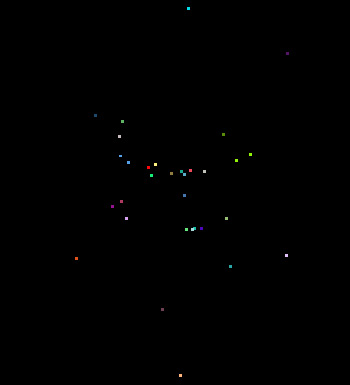
一、效果拆解
- 點擊時建立一個 DIV 插入 body,初始位置在畫面上方(top 為視窗高度),left 為滑鼠的 pageX。
- 這個 DIV 向上飛到滑鼠點擊的位置。
- 到達後移除該 DIV,並在該處生成約 20 個小 DIV 作為煙花。
- 每個煙花隨機取色、隨機散開方向,最後再一起下墜。
二、核心程式碼
$(function () {
  $(document).click(function (event) {
    // ---- 1. 建立上升的「火箭」 ----
    var $div    = $("<div/>");
    var eLeft   = event.pageX;
    var etop    = event.pageY;
    var cHeight = document.documentElement.clientHeight;

    $div.css({
      "width": 4, "height": 15,
      "background-color": "red",
      "top": cHeight, "left": eLeft
    });
    $("body").append($div);
    $("body").css("overflow", "hidden");   // 不要出現捲軸

    // ---- 2. 上升到位後引爆 ----
    $div.animate({ "top": etop }, 700, function () {
      $(this).remove();

      // 建立 20 個煙花粒子
      for (var i = 0; i < 20; i++) {
        $("body").append($("<div class='yh'></div>"));
      }

      // 隨機顏色:十六進位最大值 FFFFFF = 十進位 16777215
      var sjColor = "";
      function changColor() {
        sjColor = Math.ceil(Math.random() * 16777215).toString(16);
        while (sjColor.length < 6) { sjColor = "0" + sjColor; }  // 不足 6 位補零
      }

      $(".yh").css({ "width": 3, "height": 3, "top": etop, "left": eLeft });

      $(".yh").each(function (index, element) {
        var $this = $(this);
        changColor();

        // 散開位移:減去一半讓值落在正负之間
        var yhX = Math.random() * 400 - 200;
        var yhY = Math.random() * 600 - 300;

        $this.css({ "background-color": "#" + sjColor, "width": 3, "height": 3 })
             .animate({ "top": etop - yhY, "left": eLeft - yhX }, 500);

        for (var i = 0; i < 30; i++) {
          if (yhX < 0) { downPw($this, "+"); }   // 向右下墜
          else         { downPw($this, "-"); }   // 向左下墜
        }

        // 下墜:同時改變 top 與 left,形成拋物線感
        function downPw(odiv, f) {
          odiv.animate({ "top": "+=30", "left": f + "=4" }, 50, function () {
            setTimeout(function () { odiv.remove(); }, 2000);
          });
        }
      });
    });
  });
});
三、隨機數的三個公式
Math.random()回傳 0 到 1 之間的小數。- 乘以任意數 n,結果就是 0 到 n 之間:
Math.random() * 9為 0–9。 - 要讓起始值不為 0 就加上偏移:
Math.random() * 8 + 2為 2–10。 - 要正負對稱就減去一半:
Math.random() * 8 - 4為 −4 到 +4。
四、隨機顏色的推導
顏色值是十六進位,範圍是 000000–FFFFFF,轉成十進位即 0–16777215。用 Math.random() * 16777215 取整後再 toString(16) 轉回十六進位,前面補零到 6 位,最後記得加上 #。
五、運動與下墜的本質
- 所謂「運動」就是不斷改變元素的 X 或 Y 座標,而每次改變都要以「當前座標」為基準做運算。
- 「下墜感」則是讓 X 與 Y 同時變化,軌跡自然呈拋物線。
- 使用
setTimeout時要特別注意this的指向,別讓它離開原本的 jQuery 物件。
六、效能提醒
這個範例每次點擊會建立 20 個粒子、每個粒子再排入 30 段 50ms 的動畫,動畫數量相當可觀。若要在正式專案使用,建議:限制同時存在的粒子總數、改用 CSS3 transition/animation 交由合成器處理,或直接採用 Canvas 繪製。以 DOM 元素做大量粒子動畫,在低階裝置上容易掉幀。
- 上一篇文章: 以 jQuery 實作 360 度圖片展示
- 下一篇文章: jQuery 翻牌/百葉窗效果:內容每三秒自動切換