用 jQuery 快速打造可拖曳的購物車 DragDrop
編輯:JQuery特效代碼
把商品「拖進購物車」是很受歡迎的購物互動方式。使用者只要把有興趣的商品拖進車裡,也可以從車中把商品拖掉,同時頁面上的總金額與品項數會即時更新。本文用 jQuery 與 jQuery UI 實作一個完整範例。
為了不依賴資料庫,範例直接建立一組虛擬商品資料。
一、建立 Product 實體類別
public class Product
{
    public string Code { get; set; }
    public string Name { get; set; }
    public string Description { get; set; }
    public double Price { get; set; }
}
二、建立商品清單與 DataList 綁定
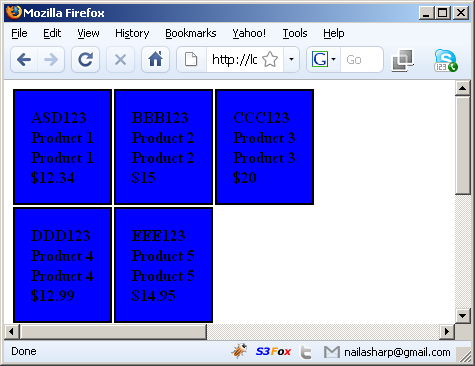
把 List<Product> 綁到 DataList 上,三欄一列橫向排列:
<asp:DataList ID="dlProducts" RepeatColumns="3" RepeatDirection="Horizontal" runat="server">
<ItemTemplate>
<div class="productItemStyle" price='<%# Eval("Price") %>'
     code='<%# Eval("Code") %>' id='item_<%# Container.ItemIndex + 1 %>'>
  <li><%# Eval("Code") %></li>
  <li><%# Eval("Name") %></li>
  <li><%# Eval("Description") %></li>
  <li>$<%# Eval("Price") %></li>
</div>
</ItemTemplate>
</asp:DataList>

private void BindData()
{
    var products = GetProducts();
    dlProducts.DataSource = products;
    dlProducts.DataBind();
}
這裡有兩個安排值得注意:productItemStyle 是後續 jQuery 選取的依據;Container.ItemIndex + 1 則在資料綁定時動態產生連續的商品編號,讓每個商品 div 都有唯一 id。
三、讓商品區塊可以被拖動
先引入 jQuery 與 jQuery UI:
<script language="javascript" type="text/javascript" src="jquery-1.2.6.min.js"></script>
<script language="javascript" type="text/javascript"
        src="jquery-ui-personalized-1.6rc4.min.js"></script>
在 DOM 就緒後,把所有商品 div 設為可拖曳。這裡用 helper: "clone" 讓拖動時產生複本,原商品仍留在原位,使用者可以重複拖曳同一個商品:
$(document).ready(function () {
    $(".productItemStyle").draggable({ helper: "clone", opacity: "0.5" });
});
四、建立放下的區域(購物車)
$(".dropZone").droppable({
    accept: ".productItemStyle",          // 只接受商品 div
    hoverClass: "dropHover",              // 拖曳物懸停在購物車上方時的樣式
    drop: function (ev, ui) {
        var droppedItem = ui.draggable.clone().addClass("droppedItemStyle");

        var productCode = droppedItem[0].attributes["code"].nodeValue;
        var productPrice = getFormattedPrice(droppedItem[0].attributes["price"].nodeValue);

        // 為購物車中的項目加上「移除」連結
        var removeLink = document.createElement("a");
        removeLink.innerHTML = "Remove";
        removeLink.className = "deleteLink";
        removeLink.href = "#";
        removeLink.onclick = function () {
            $(".dropZone").children().remove("#" + droppedItem[0].id);
            updateTotal(productPrice * (-1));       // 移除時扣回金額
        };

        droppedItem[0].appendChild(removeLink);
        $(this).append(droppedItem);
        updateTotal(productPrice);                  // 加入時累加金額
    }
});
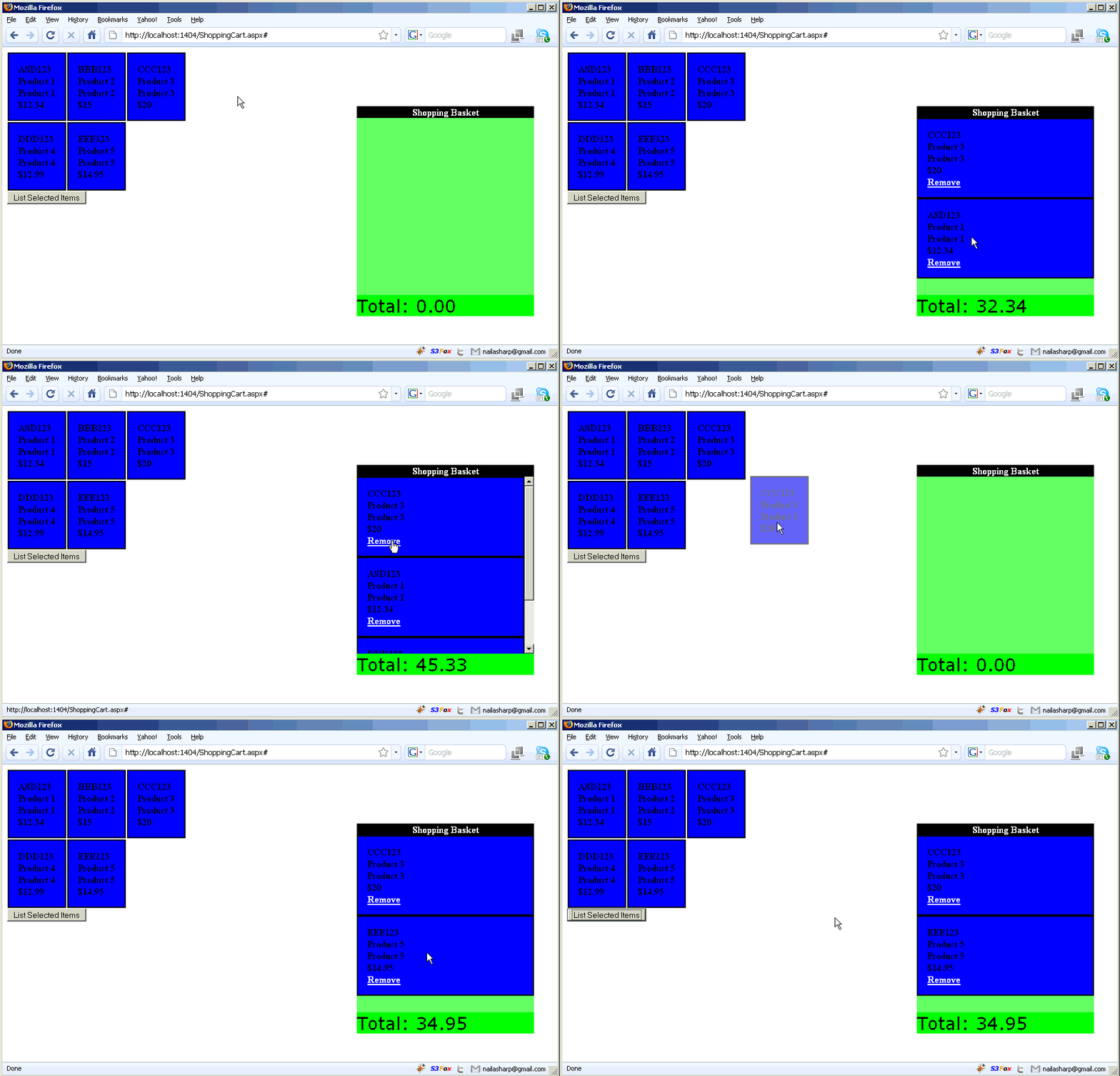
三個重點參數:accept 決定哪些元素可以被放進來;hoverClass 提供放下前的視覺回饋;drop 則是核心——複製商品節點、讀取價格、加上移除連結,並更新總額。
五、更新總金額
// 更新總金額
function updateTotal(price) {
    total += parseFloat(price);
    $("#total").html(total.toFixed(2));
    $(".shoppingCartTotal").effect("bounce");   // 加上彈跳動畫提醒使用者
}
加上一點 jQuery UI 的 effect 動畫,金額更新時會輕輕跳一下,回饋感更明顯。
最終效果如下圖:
英文原文:https://www.codeproject.com/KB/aspnet/JQueryShoppingCart.aspx
- 上一篇文章: jQuery 分頁元件實作程式碼
- 下一篇文章: 拆解 jQuery 選擇器 $ 的實現原理