簡介
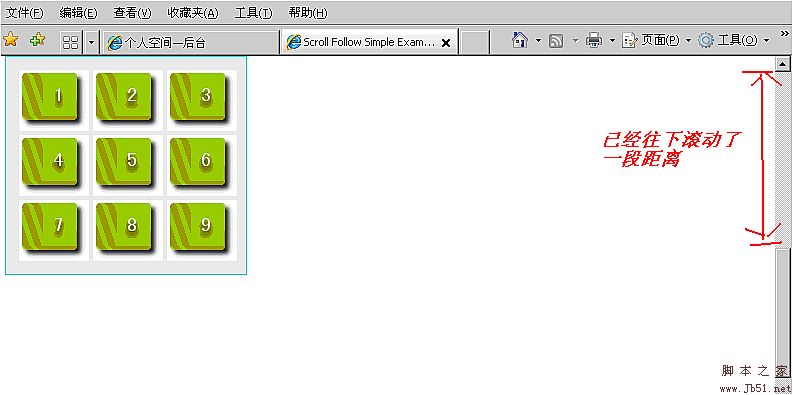
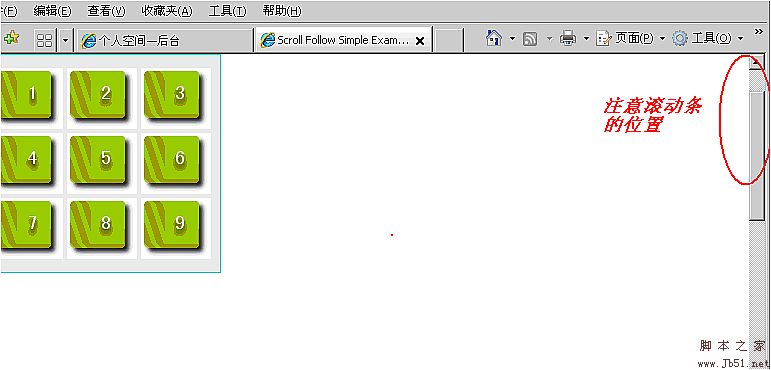
這個元件能實現的效果是:當頁面滾動時,某個 DIV 會永遠停留在你希望它停留的位置;同時可為這個 DIV 設定一個容器,當滾動超過該容器範圍時,這個 DIV 就不再跟著滾動了。
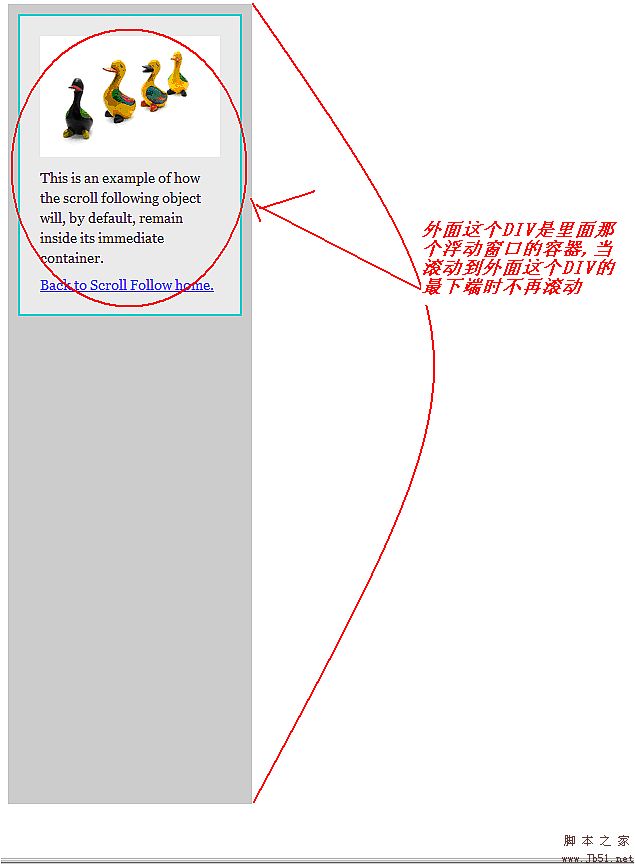
若需要製作較好用的懸浮導航條,這個元件相當實用。
程式碼與屬性
這個 js 檔是在 jQuery 與 jQuery UI 的基礎上擴充而來,使用前必須先到官網下載 jquery.js 與 ui.core.js 兩個檔案。以下為完整的 javascript:
( function( $ ) {
$.scrollFollow = function ( box, options )
{
box = $( box );
var position = box.css( 'position' );
function ani()
{
box.queue( [ ] );
var viewportHeight = parseInt( $( window ).height() );
var pageScroll = parseInt( $( document ).scrollTop() );
var parentTop = parseInt( box.cont.offset().top );
var parentHeight = parseInt( box.cont.attr( 'offsetHeight' ) );
var boxHeight = parseInt( box.attr( 'offsetHeight' ) + ( parseInt( box.css( 'marginTop' ) ) || 0 ) + ( parseInt( box.css( 'marginBottom' ) ) || 0 ) );
var aniTop;
if ( isActive )
{
if ( options.relativeTo == 'top' )
{
if ( box.initialOffsetTop >= ( pageScroll + options.offset ) )
{
aniTop = box.initialTop;
}
else
{
aniTop = Math.min( ( Math.max( ( -parentTop ), ( pageScroll - box.initialOffsetTop + box.initialTop ) ) + options.offset ), ( parentHeight - boxHeight - box.paddingAdjustment ) );
}
}
else if ( options.relativeTo == 'bottom' )
{
if ( ( box.initialOffsetTop + boxHeight ) >= ( pageScroll + options.offset + viewportHeight ) )
{
aniTop = box.initialTop;
}
else
{
aniTop = Math.min( ( pageScroll + viewportHeight - boxHeight - options.offset ), ( parentHeight - boxHeight ) );
}
}
if ( ( new Date().getTime() - box.lastScroll ) >= ( options.delay - 20 ) )
{
box.animate( { top: aniTop }, options.speed, options.easing );
}
}
};
var isActive = true;
if ( $.cookie != undefined )
{
if( $.cookie( 'scrollFollowSetting' + box.attr( 'id' ) ) == 'false' )
{
var isActive = false;
$( '#' + options.killSwitch ).text( options.offText )
.toggle( function () { isActive = true; $( this ).text( options.onText ); $.cookie( 'scrollFollowSetting' + box.attr( 'id' ), true, { expires: 365, path: '/'} ); ani(); },
function () { isActive = false; $( this ).text( options.offText ); box.animate( { top: box.initialTop }, options.speed, options.easing ); $.cookie( 'scrollFollowSetting' + box.attr( 'id' ), false, { expires: 365, path: '/'} ); } );
}
else
{
$( '#' + options.killSwitch ).text( options.onText )
.toggle( function () { isActive = false; $( this ).text( options.offText ); box.animate( { top: box.initialTop }, 0 ); $.cookie( 'scrollFollowSetting' + box.attr( 'id' ), false, { expires: 365, path: '/'} ); },
function () { isActive = true; $( this ).text( options.onText ); $.cookie( 'scrollFollowSetting' + box.attr( 'id' ), true, { expires: 365, path: '/'} ); ani(); } );
}
}
if ( options.container == '')
{
box.cont = box.parent();
}
else
{
box.cont = $( '#' + options.container );
}
box.initialOffsetTop = parseInt( box.offset().top );
box.initialTop = parseInt( box.css( 'top' ) ) || 0;
if ( box.css( 'position' ) == 'relative' )
{
box.paddingAdjustment = parseInt( box.cont.css( 'paddingTop' ) ) + parseInt( box.cont.css( 'paddingBottom' ) );
}
else
{
box.paddingAdjustment = 0;
}
$( window ).scroll( function ()
{
$.fn.scrollFollow.interval = setTimeout( function(){ ani();} , options.delay );
box.lastScroll = new Date().getTime();
} );
$( window ).resize( function ()
{
$.fn.scrollFollow.interval = setTimeout( function(){ ani();} , options.delay );
box.lastScroll = new Date().getTime();
} );
box.lastScroll = 0;
ani();
};
$.fn.scrollFollow = function ( options )
{
options = options || {};
options.relativeTo = options.relativeTo || 'top';
options.speed = options.speed || 1;
options.offset = options.offset || 0;
options.easing = options.easing || 'swing';
options.container = options.container || this.parent().attr( 'id' );
options.killSwitch = options.killSwitch || 'killSwitch';
options.onText = options.onText || 'Turn Slide Off';
options.offText = options.offText || 'Turn Slide On';
options.delay = options.delay || 0;
this.each( function(){ new $.scrollFollow( this, options ); } );
return this;
};
})( jQuery );
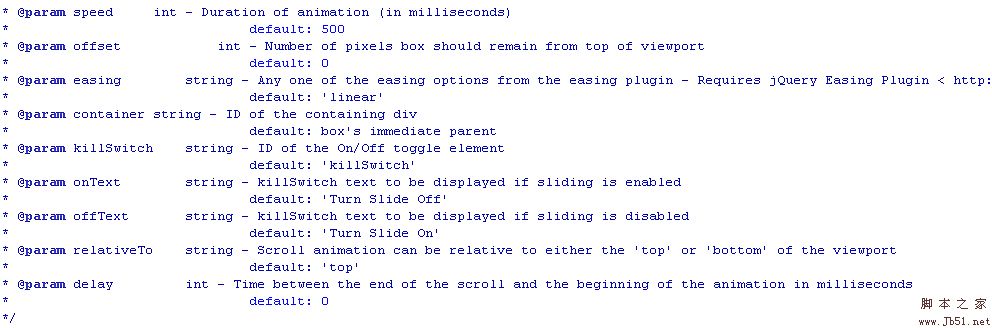
以下幾張圖示說明了可設定的效果參數:

上圖用來設定這個 DIV 在滾動後會停留在哪裡。動畫效果的參數設定如下:
如何在頁面中使用
<script type="text/javascript"><!--
$( document ).ready( function ()
{
$( '#example' ).scrollFollow();
});
// --></script>
最後是設定 ID 為 example 這個 DIV 的 CSS 樣式,需特別注意 position 必須設為 relative:
#example {
position: relative;
width: 220px;
margin: 5px;
padding: 10px;
background: #DDDDDD;
border: 1px solid #42CBDC;
}
- 上一篇文章: jQuery 學習筆記:佟老師講解(附詳細註釋)
- 下一篇文章: 解決 jQuery 1.3.2 在 IE8 中的一個小問題