js 網頁煙花效果:從發射到爆炸的完整實作
編輯:JavaScript基礎知識
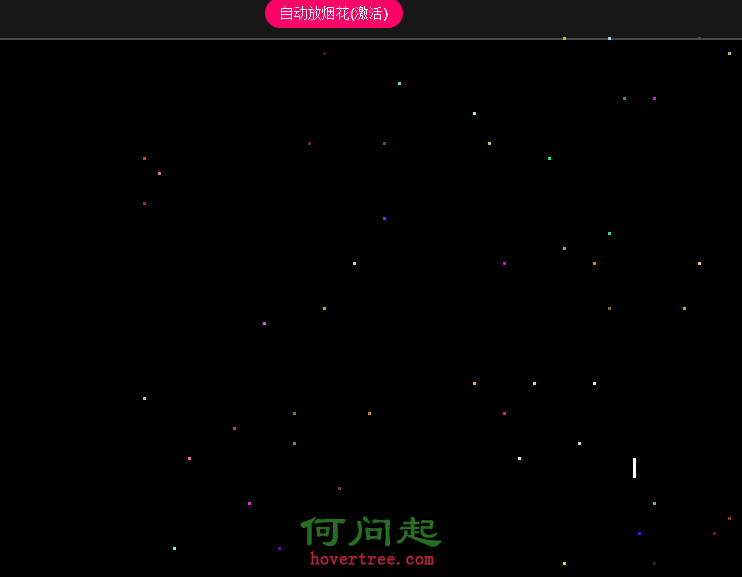
這篇記錄一個純 JavaScript 的網頁煙花效果:點擊畫面任意位置,一枚煙花從底部升空,到達該座標後炸開成數十個火花向四周擴散,最後飛出畫面自動消失。
一、實作思路
手動釋放:
- 煙花從底部往上飛入目標位置。
- 到達目標位置後產生爆炸效果。
- 爆炸產生大量「火花」。
- 火花往四周擴散。
- 火花飛出畫面範圍後消失。
自動煙花:用一個定時器,每隔固定時間隨機選一個座標觸發同樣的流程。
二、頁面結構
<html>
<head>
<title>網頁煙花效果</title>
<meta charset="utf-8" />
</head>
<body>
<div id="tips">
    <a id="auto" href="javascript:;" class="">自動放煙花</a>
</div>
</body>
</html>
三、樣式
<style type="text/css">
html, body { overflow: hidden; height: 100%; }
body, div, p { margin: 0; padding: 0; }
body { background: #000; font: 12px/1.5 arial; color: #7A7A7A; }
a { text-decoration: none; outline: none; }

#tips, #copyright {
    position: absolute; width: 100%; height: 50px;
    text-align: center; background: #171717; border: 2px solid #484848;
}
#tips { top: 0; border-width: 0 0 2px; }
#tips a {
    font: 14px/30px arial; color: #FFF; background: #F06;
    display: inline-block; margin: 10px 5px 0; padding: 0 15px; border-radius: 15px;
}
#tips a.active { background: #FE0000; }
#copyright { bottom: 0; line-height: 50px; border-width: 2px 0 0; }
#copyright a { color: #FFF; background: #7A7A7A; padding: 2px 5px; border-radius: 10px; }
#copyright a:hover { background: #F90; }
p { position: absolute; top: 55px; width: 100%; text-align: center; }

/* 煙花本體:一個細長的白色條 */
.fire { width: 3px; height: 30px; background: white; position: absolute; top: 100%; }
/* 火花:一個小方點 */
.spark { position: absolute; width: 3px; height: 3px; }
</style>
四、JavaScript 主體
<script>
window.onload = function () {
    var win = document.documentElement;

    // 點擊畫面任意處放煙花
    document.onclick = function (e) {
        e = e || window.event;
        fire({ x: e.clientX, y: e.clientY });
    };

    // 自動放煙花
    var timer;
    $('#auto').onclick = function (e) {
        e = e || window.event;
        e.stopPropagation();          // 阻止冒泡,避免觸發一次手動煙花
        this.autoFire = !this.autoFire;

        if (!this.autoFire) {
            clearInterval(timer);
            this.innerHTML = this.innerHTML.replace('(激活)', '');
            return;
        }
        this.innerHTML += '(激活)';

        timer = setInterval(function () {
            var x = getRandomNum(10, win.offsetWidth - 10);
            var y = getRandomNum(100, win.offsetHeight - 100);
            fire({ x: x, y: y });
        }, 2000);
    };

    // 煙花飛入
    function fire(coord) {
        var fireworks = document.createElement('div');
        fireworks.className = 'fire';
        fireworks.style.left = coord.x + 'px';
        document.body.appendChild(fireworks);

        // 飛到點擊位置,同時把高度收縮成一個點
        animate(fireworks, { top: coord.y, height: 3 }, function () {
            document.body.removeChild(fireworks);
            bomb({ x: coord.x, y: coord.y });
        });
    }

    // 爆炸效果
    function bomb(coord) {
        var num = 50;
        for (var i = 0; i < num; i++) {
            var _s = new Spark(coord);
            _s.init();
        }
    }

    function Spark(coord) {
        // 初始化火花
        this.init = function () {
            var _spark = document.createElement('div');
            _spark.className = 'spark';
            _spark.style.backgroundColor = getRandomColor();
            _spark.style.top = coord.y + 'px';
            _spark.style.left = coord.x + 'px';
            document.body.appendChild(_spark);

            this.spark = _spark;

            var xSpeed = getRandomNum(-20, 20);
            var ySpeed = getRandomNum(-20, 20);
            this.move(xSpeed, ySpeed);
        };
    }

    // 火花運動
    Spark.prototype.move = function (xSpeed, ySpeed) {
        var self = this;
        var _spark = this.spark;

        this.timer = setInterval(function () {
            _spark.style.top = _spark.offsetTop + ySpeed++ + 'px';
            _spark.style.left = _spark.offsetLeft + xSpeed + 'px';

            // 超出畫面則清除計時器並移除元素,避免無限累積
            if (_spark.offsetTop < 0 || _spark.offsetTop > win.offsetHeight ||
                _spark.offsetLeft < 0 || _spark.offsetLeft > win.offsetWidth) {
                clearInterval(self.timer);
                document.body.removeChild(_spark);
            }
        }, 20);
    };
};
</script>
五、輔助工具函式
範例中參照了一個自封裝的外部 js 檔,裡面主要提供三個能力:選擇器、隨機數、隨機顏色。測試時直接把下面這幾段複製進去即可。
/* 簡易選擇器 */
function $(selector) {
    if (document.querySelectorAll) {
        var list = document.querySelectorAll(selector);
        // 只有一個結果時直接回傳元素,否則回傳列表
        return list.length == 1 ? list[0] : list;
    } else {
        // 相容舊瀏覽器:id 選擇器
        if (/^#\w+/.test(selector)) {
            return document.getElementById(selector.substring(1));
        }
        // class 選擇器
        else if (/^\.\w+/.test(selector)) {
            return document.getElementsByClassName(selector.substring(1));
        } else {
            return document.getElementsByTagName(selector);
        }
    }
}

/* 取得 [min, max] 範圍內的隨機整數 */
function getRandomNum(min, max) {
    return parseInt(Math.random() * (max - min + 1)) + min;
}

/* 取得隨機顏色 */
function getRandomColor() {
    return 'rgb(' + getRandomNum(0, 255) + ',' +
                    getRandomNum(0, 255) + ',' +
                    getRandomNum(0, 255) + ')';
}
六、效能上的提醒
這個版本每 20 毫秒就用 setInterval 改一次 top/left,火花數量多時會造成大量重排(reflow)。若要更順暢,建議改用 requestAnimationFrame 統一驅動動畫,並以 transform: translate() 取代 top/left——前者只觸發合成,不必重排版面。另外別忘了在火花離場時確實移除 DOM 節點與計時器,否則放幾十發之後就會明顯卡頓。
- 上一篇文章: JS 自訂回呼函數:從 jQuery 的 callback 學起
- 下一篇文章: 三張圖搞懂 JavaScript 的原型物件與原型鏈