DIV 層定位實例:讓彈出層不受分辨率影響
編輯:CSS詳解
層的定位困擾過不少人:點擊彈出的浮層,位置會隨分辨率或窗口尺寸變化而跑偏,甚至跑到看不見的地方。
先看問題現象:

思路:三層結構鎖定坐標
做法是建立一個父級 div 且完全不改變它的 x、y 位置,在這個父級裡再放一個子級 div,通過設置子級的 top 與 left 自由定位。關鍵在於中間那層 position:relative 且寬高為 0 的定位錨點:它把子層的絕對定位參照物固定了下來。
完整示例
<!DOCTYPE html PUBLIC "-//W3C//DTD XHTML 1.0 Transitional//EN" "https://www.w3.org/TR/xhtml1/DTD/xhtml1-transitional.dtd">
<html xmlns="https://www.w3.org/1999/xhtml">
<head>
<meta http-equiv="Content-Type" content="text/html; charset=gb2312" />
<title>關於層的定位</title>
</head>
<body>
<div style="width:800px; margin:0 auto; background:#FFFFCC; overflow:auto; font-size:12px">
  <div style="margin:100px 0 100px 100px"><a href="#">更多城市>></a></div>
  <div style="position:relative; width:0; height:0">
    <div style="position:absolute; top:-95px; left:130px; width:200px; background:#DDDDDD">北京 上海 廣州</div>
  </div>
</div>
</body>
</html>
預覽效果:
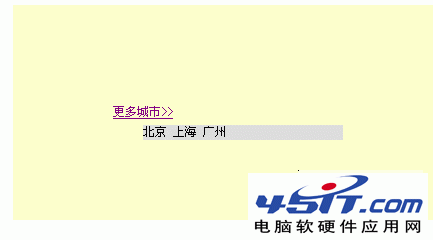
這種寫法的適用範圍很廣:城市選擇浮層、 tips 提示框、二級菜單,凡是需要「貼著某個元素出現」的場景,都可以先在錨點處放一個零尺寸的 relative 容器,再讓內容以絕對定位掛上去,位置便不會再隨著視口變化而漂移。
- 上一篇文章: CSS、JavaScript、jQuery 三種去掉鏈接虛線框的方法
- 下一篇文章: 用語義標簽寫網頁頭部:告別層層嵌套的 div