HTML5 彈跳球範例:用 Canvas 實作小球碰壁反彈
編輯:HTML5詳解
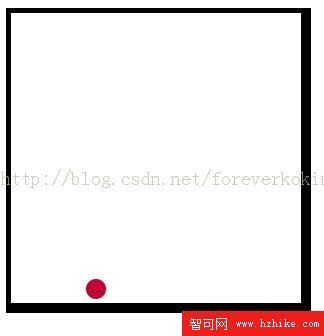
這是一個用 Canvas 2D 繪製的小範例:一個小球在方形框內持續運動,撞到邊界就反彈。看似簡單,但它把遊戲開發中最基礎的兩個觀念講清楚了——位置更新與邊界碰撞檢測。
實作思路
- 用一組變數描述方框(x、y、寬、高)與小球(座標、半徑、水平速度、垂直速度)。
- 注意:小球的定位以圓心為準,因此可活動範圍要在方框四邊各扣除一個半徑,避免球體壓到邊框。
- 每一幀先算出下一個位置,如果超出左右邊界就把水平速度取反並夾回邊界;超出上下邊界則把垂直速度取反並夾回。
- 用 setInterval 定時驅動,每次重繪前先清空畫布。
完整程式碼
<Html>
<head>
<meta charset="utf-8">
<title>跳跳球</title>
<script>
// box
var box_x = 0;
var box_y = 0;
var box_width = 300;
var box_height = 300;

// ball —— 注意:定位球採用球的中心
var ball_x = 10;
var ball_y = 10;
var ball_radius = 10;
var ball_vx = 5;
var ball_vy = 3;

// 可活動邊界(四邊各扣一個半徑)
var box_bound_left   = box_x + ball_radius;
var box_bound_right  = box_x + box_width  - ball_radius;
var box_bound_top    = box_y + ball_radius;
var box_bound_bottom = box_y + box_height - ball_radius;

var ctx;

function init()
{
  ctx = document.getElementById('canvas').getContext('2d');
  ctx.lineWidth = ball_radius;
  ctx.fillStyle = "rgb(200,0,50)";
  move_ball();
  setInterval(move_ball, 100);
}

function move_ball()
{
  ctx.clearRect(box_x, box_y, box_width, box_height);
  move_and_check();
  ctx.beginPath();
  ctx.arc(ball_x, ball_y, ball_radius, 0, Math.PI * 2, true);
  ctx.fill();
  ctx.strokeRect(box_x, box_y, box_width, box_height);
}

function move_and_check()
{
  var cur_ball_x = ball_x + ball_vx;
  var cur_ball_y = ball_y + ball_vy;

  if (cur_ball_x < box_bound_left)  { ball_vx = -ball_vx; cur_ball_x = box_bound_left;  }
  if (cur_ball_x > box_bound_right) { ball_vx = -ball_vx; cur_ball_x = box_bound_right; }
  if (cur_ball_y < box_bound_top)   { ball_vy = -ball_vy; cur_ball_y = box_bound_top;   }
  if (cur_ball_y > box_bound_bottom){ ball_vy = -ball_vy; cur_ball_y = box_bound_bottom;}

  ball_x = cur_ball_x;
  ball_y = cur_ball_y;
}
</script>
</head>
<body onLoad="init()">
<canvas id="canvas" width="400" height="400"></canvas>
</body>
</Html>
幾個可以動手調整的地方
- 把 setInterval 的間隔從 100 毫秒縮短,運動會更順;但間隔太短會讓幀率受瀏覽器計時精度影響,實務上通常改用 requestAnimationFrame。
- 目前只判斷了「是否越界」,如果速度很快可能出現穿透;把位置夾回邊界這一步能緩解這個問題。
- 想加入重力或摩擦,只要在 move_and_check 裡對 ball_vy 與速度系數做衰減即可,下一篇文章的平拋運動範例正是這個思路的延伸。
熱門推薦
HTML5 Canvas 曲線教學:arcTo 的圓弧與切線概念
用 HTML5 Canvas 打造 360° 商品全景圖
HTML5 drawImage 踩坑記:為什麼圖片總要重整一次才出現?
HTML5 Canvas 路徑機制詳解:用 moveTo 與 lineTo 描繪線條
HTML5 + CSS3 動畫實例:讓人物頭像依序排列成一個圓環
用 HTML5 打造動畫(一):Canvas 基礎位移實作
HTML5 WebGL 3D 開發實戰(下):用 Three.js 等框架快速打造 3D 場景
用 HTML5 打造觸控手寫畫板的做法
HTML5 Canvas 玻璃碎片特效:用 Delaunay 三角分割模擬碎裂