HTML5 Canvas 鋸齒邊框圖形實作
編輯:HTML5詳解
效果預覽:
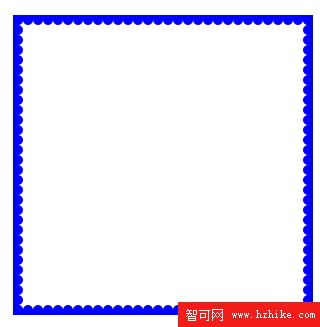
小提示:把程式碼貼進一個 .html 檔存起來,直接開啟就能看到成果。
這個範例的目標是在畫布四周描出一圈像鋸齒/半圓凸齒的邊框。做法是先 strokeRect 畫外框,再沿著上下左右四邊,每隔固定間距放一顆半圓,全部填滿同一個顏色,視覺上就連成一條齒狀帶。
實現代碼
<!doctype Html>
<Html lang="zh">
<head>
<meta charset="gbk">
<title>鋸齒圖</title>
<script type="text/Javascript">
window.addEventListener("load", eventWindowLoaded, false);
function eventWindowLoaded(){
var x,y;
var theCanvas = document.getElementById("canvas");
var context = theCanvas.getContext("2d");

//外框
context.strokeStyle = '#00f';
context.lineWidth=10;
context.strokeRect(0, 0, theCanvas.width, theCanvas.height);
context.fillStyle = "#00f";
for(x=5;x<=canvas.width;x=x+10){
context.beginPath();
context.arc(x,5,5,0,Math.PI,false);
context.closePath();
context.fill();
context.beginPath();
context.arc(x,canvas.height-5,5,0,Math.PI,true);
context.closePath();
context.fill();
}
for(y=5;y<=canvas.height;y=y+10){
context.beginPath();
context.arc(5,y,5,0,Math.PI*2,true);
context.arc(canvas.width-5,y,5,0,Math.PI*2,true);
context.closePath();
context.fill();
}
}
</script>
</head>
<body>
<div style="position: absolute; top: 100px; left: 100px;">
<canvas id="canvas" width="300" height="300">
</canvas>
</div>
</body>
</Html>
要點說明
strokeRect(0, 0, width, height)搭配lineWidth = 10決定外框粗細;把座標從 0 起始可以讓線條均勻貼邊。- 上下兩列的半圓用
0到Math.PI畫半圓,再靠false/true的順逆時針參數決定凸面朝上或朝下。 - 左右兩側則改用整圓並以半徑 5、間距 10 排列,讓圓形剛好相切。
- 迴圈間距(這裡是 10)與半徑(5)的比例決定了齒密度,想更密就把間距縮小、半徑同步調整。
- 範例中迴圈條件直接寫了
canvas.width(依賴 id 產生的全域變數),實務上建議改成theCanvas.width,避免不必要的全域耦合。
想讓樣子更花一點,只要改 fillStyle/strokeStyle,或把半圓換成三角形路徑即可,整體結構完全不用動。