Safari 樣式庫參考:WebKit 私有 CSS 屬性分類整理
編輯:HTML和Xhtml
Safari 與 WebKit 完整實作了 CSS 2.1 的大部分內容,並已支援部分 CSS 3 規格。以下依 W3C 的分類方式,整理 Safari 參考樣式庫中的屬性群組。
分類說明
- Box Model:處理內容外圍的方框,包含邊界、內距與外距;表格相關屬性另立「Table」一類。
- Visual Formatting Model:決定區塊元素的位置與大小。
- Visual Effects:調整視覺呈現,包含溢出、縮放、能見度、動畫、變形與過渡。
- Generated Content, Automatic Numbering, and Lists:改寫內容組成、自動章節編號、控制清單樣式。
- Paged Media:控制列印版本的行為,例如分頁符。
- Colors and Backgrounds:控制區塊背景與文字顏色。
- Fonts:字型選擇範圍,以及下載字型定義的相關屬性。
- Text:文字樣式、間距與自動捲動(marquee)。
- Tables:表格內容的版面與呈現。
- User Interface:瀏覽器內的 UI 元素,如捲動區與捲軸;也包含網頁範圍外的屬性,例如游標樣式,以及 iPhone 上長按連結時顯示的提示樣式。
1. Box Model
-webkit-border-bottom-left-radius: radius;
-webkit-border-top-left-radius: horizontal_radius vertical_radius;
-webkit-border-radius: radius;
-webkit-box-sizing: border-box;   /* 或 content-box */
-webkit-box-shadow: hoff voff blur color;
-webkit-margin-bottom-collapse: collapse;  /* collapse | discard | separate */
-webkit-margin-start: width;
-webkit-padding-start: width;
-webkit-border-image: url(borderimg.gif) 25 25 25 25 round round;
-webkit-border-image: url(borderimg.gif) 25 25 25 25 stretch stretch;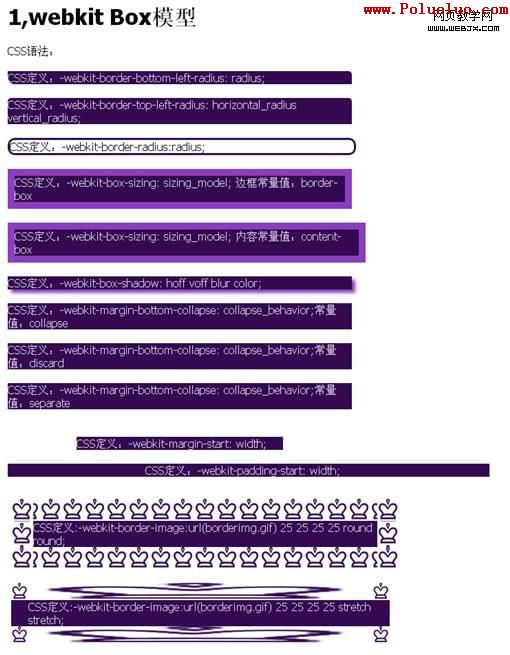
2. 視覺格式化模型
direction: rtl;
unicode-bidi: bidi-override;   /* bidi-override | embed | normal */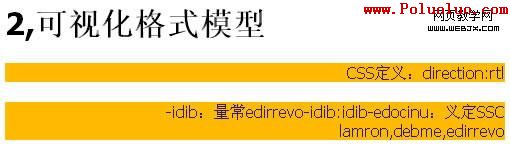
3. 視覺效果
clip: rect(10px, 5px, 10px, 5px);
resize: auto;                   /* auto | both | horizontal | none | vertical */
visibility: visible;            /* collapse | hidden | visible */
-webkit-transition: opacity 1s linear;   /* ease | linear | ease-in | ease-out | ease-in-out */
-webkit-backface-visibility: visible;    /* visible(預設)| hidden */
-webkit-box-reflect: right 1px;          /* 鏡像反射 */
-webkit-box-reflect: below 4px -webkit-gradient(linear, left top, left bottom, from(transparent), color-stop(0.5, transparent), to(white));
-webkit-mask-image: -webkit-gradient(linear, left top, left bottom, from(rgba(0,0,0,1)), to(rgba(0,0,0,0)));  /* 遮罩效果 */
-webkit-mask-attachment: fixed;          /* fixed | scroll */
-webkit-perspective: value;              /* none(預設) */
-webkit-perspective-origin: left top;
-webkit-transform: rotate(5deg);
-webkit-transform-style: preserve-3d;    /* flat | preserve-3d */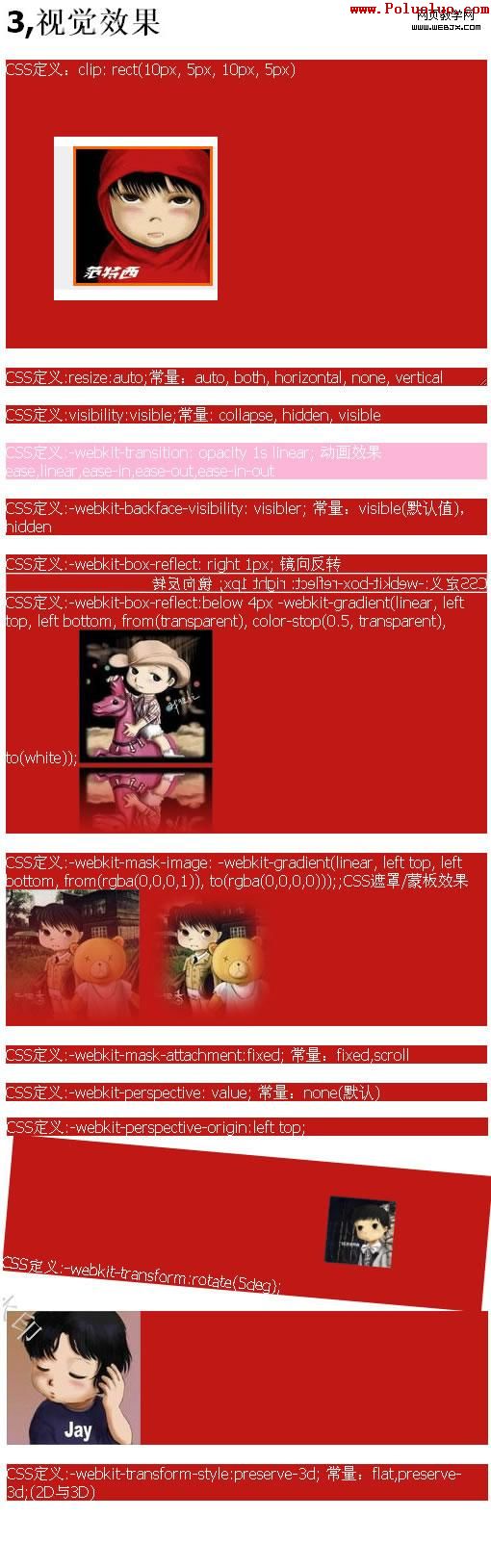
4. 生成內容與自動編號
content: "Item " counter(section) " ";
counter-increment: section 1;
counter-reset: section;
5. 分頁媒體
page-break-after: auto;   /* always | auto | avoid | left | right */
page-break-before: auto;  /* always | auto | avoid | left | right */
page-break-inside: auto;  /* auto | avoid */
6. 顏色與背景
-webkit-background-clip: content;  /* border | content | padding | text */
-webkit-background-origin: padding; /* border | content | padding | text */
-webkit-background-size: 55px;      /* length | length_x length_y */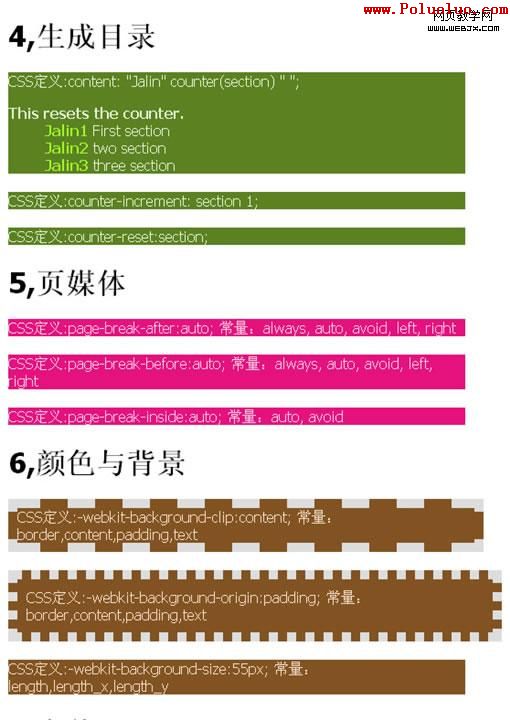
7. 字型
unicode-range: U+00-FF, U+980-9FF;8. 文字
text-shadow: #00FFFC 10px 10px 5px;
text-transform: capitalize;      /* capitalize | lowercase | none | uppercase */
word-wrap: break-word;           /* break-word | normal */
-webkit-marquee: right large infinite normal 10s;
-webkit-marquee-direction: ahead | auto | backwards | down | forwards | left | reverse | right | up
-webkit-marquee-increment: 1-n
-webkit-marquee-speed: fast | normal | slow
-webkit-marquee-style: alternate | none | scroll | slide
-webkit-text-fill-color: #ff6600;
-webkit-text-security: circle;   /* circle | disc | none | square */
-webkit-text-size-adjust: none;  /* auto | none */
-webkit-text-stroke: 15px #fff;
-webkit-line-break: after-white-space;  /* normal | after-white-space */
-webkit-appearance: caps-lock-indicator;
-webkit-nbsp-mode: space;        /* normal | space */
-webkit-rtl-ordering: logical;   /* visual | logical */
-webkit-user-drag: element;      /* element | auto | none */
-webkit-user-modify: read-write-plaintext-only;  /* read-write-plaintext-only | read-write | read-only */
-webkit-user-select: text;       /* text | auto | none */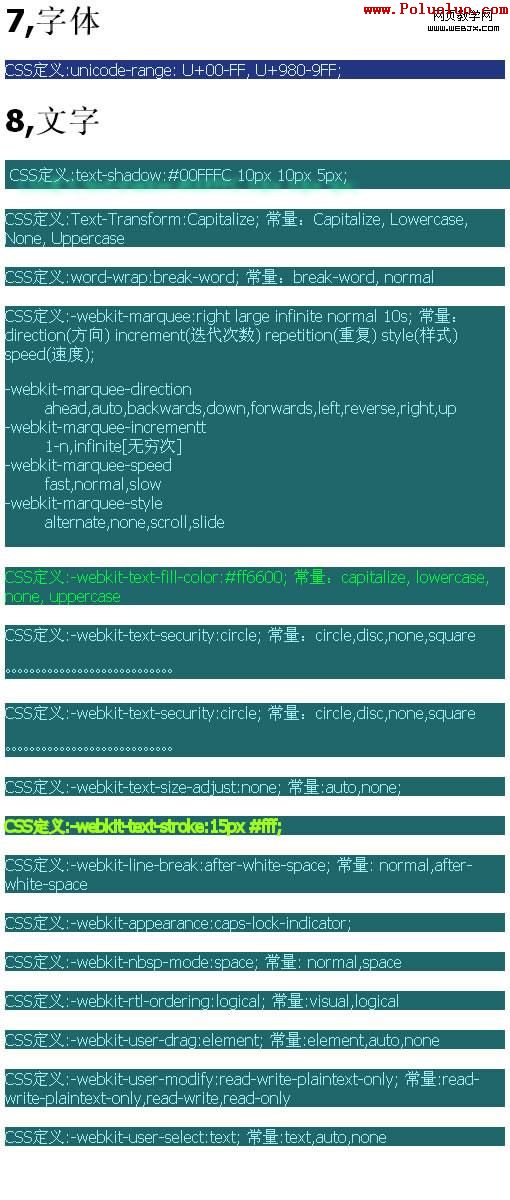
9. 表格與多欄
-webkit-border-horizontal-spacing: 2px;
-webkit-border-vertical-spacing: 2px;
-webkit-column-break-after: right;   /* always | auto | avoid | left | right */
-webkit-column-break-before: right;  /* always | auto | avoid | left | right */
-webkit-column-break-inside: avoid;  /* avoid | auto */
-webkit-column-count: 3;
-webkit-column-rule: 1px solid #fff; /* dashed | dotted | double | groove | hidden | inset | none | outset | ridge | solid */
10. 使用者介面與彈性盒模型
-webkit-box-align: baseline;   /* baseline | center | end | start | stretch */
-webkit-box-direction: normal; /* normal | reverse */
-webkit-box-flex: flex_value;
-webkit-box-flex-group: group_number;
-webkit-box-lines: multiple;   /* multiple | single */
-webkit-box-ordinal-group: group_number;
-webkit-box-orient: block-axis; /* block-axis | horizontal | inline-axis | vertical */
-webkit-box-pack: center;      /* center | end | justify | start */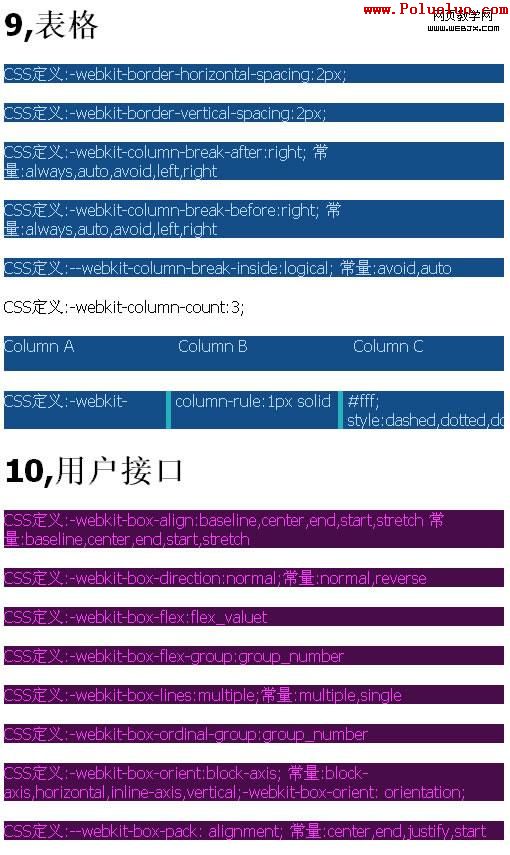
上述 box 相關屬性支援 Safari 3.0+ 與 iPhone OS 1.0+。