純 JavaScript 打造漫天彩色雪花飄落動畫
編輯:關於JavaScript
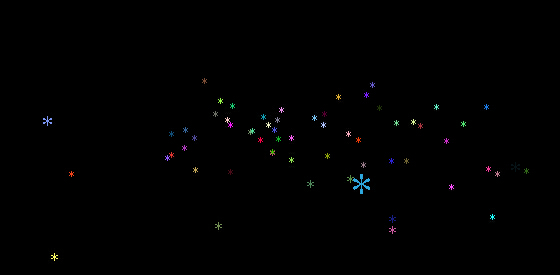
這次要做的不是一般的白色雪花,而是帶著隨機色相、從天而降又會落地反彈的彩色粒子效果。整個動畫沒有依賴任何套件,只用原生 JavaScript 加上一點絕對定位就能跑起來。
先看成品的樣子:
完整程式碼
復制代碼 代碼如下:
<!DOCTYPE html PUBLIC "-//W3C//DTD XHTML 1.0 Transitional//EN" "https://www.w3.org/TR/xhtml1/DTD/xhtml1-transitional.dtd">
<html xmlns="https://www.w3.org/1999/xhtml" >
<head>
<title>Javascript多彩雪花從天降</title>
<style type="text/css">
.jb51Snow{display:block; overflow:hidden; font-size:12px; position:absolute};
body{background:#000;margin:0px}
html{overflow:hidden; background:#000;}
a{color:White;text-decoration:none}
.jb51Title{color:red;height:140px;width:800px;margin:0px auto;text-align:center}
</style>
</head>
<body>
<script type="text/javascript">
var Fire = function (r, color) {
  this.radius = r || 12;
  this.color = color || "FF6600";
  this.xpos = 0;
  this.ypos = 0;
  this.zpos = 0;
  this.vx = 0;
  this.vy = 0;
  this.vz = 0;
  this.mass = 1;
  this.p = document.createElement("span");
  this.p.className = "jb" + "51Snow";
  this.p.innerHTML = "*";
  this.p.style.fontSize = this.radius + "px";
  this.p.style.color = "#" + this.color;
}
Fire.prototype = {
  append: function (parent) {
    parent.appendChild(this.p);
  },
  setSize: function (scale) {
    this.p.style.fontSize = this.radius * scale + "px";
  },
  setPosition: function (x, y) {
    this.p.style.left = x + "px";
    this.p.style.top = y + "px";
  },
  setVisible: function (b) {
    this.p.style.display = b ? "block" : "none";
  }
}
var fireworks = function () {
  var fires = new Array();
  var count = 100;
  var fl = 250;
  var vpx = 500;
  var vpy = 300;
  var gravity = .3;
  var floor = 200;
  var bounce = -.8;
  return {
    init: function () {
      for (var i = 0; i < count; i++) {
        var color = (Math.random() * 0xFFFFFF).toString(16).split(".")[0];
        while (color.length < 6) { color = "0" + color; }
        var fire = new Fire(12, color);
        fires.push(fire);
        fire.ypos = -100;
        fire.vx = Math.random() * 6 - 3;
        fire.vy = Math.random() * 6 - 3;
        fire.vz = Math.random() * 6 - 3;
        fire.append(document.body);
      }
      var that = this;
      setInterval(function () {
        for (var i = 0; i < count; i++) {
          that.move(fires[i]);
        }
      }, 30);
    },
    move: function (fire) {
      fire.vy += gravity;
      fire.xpos += fire.vx;
      fire.ypos += fire.vy;
      fire.zpos += fire.vz;
      if (fire.ypos > floor) {
        fire.ypos = floor;
        fire.vy *= bounce;
      }
      if (fire.zpos > -fl) {
        var scale = fl / (fl + fire.zpos);
        fire.setSize(scale);
        fire.setPosition(vpx + fire.xpos * scale,
                         vpy + fire.ypos * scale);
        fire.setVisible(true);
      } else {
        fire.setVisible(false);
      }
    }
  }
}
fireworks().init();
</script>
</body>
</html>
它是怎麼動起來的
每片「雪花」其實是一個 span 元素,內容是星號字元,靠 position:absolute 隨意定位。Fire 建構式負責產生粒子並記錄它的三軸座標與速度;fireworks() 則是調度中心,用 setInterval 每 30 毫秒把 100 個粒子全部推進一幀。
立體感來自 zpos 與 scale 的換算:z 軸越小,元素被縮得越小,看起來就像往遠處飛去。gravity 讓粒子持續下墜,碰到 floor 之後乘以負數 bounce 產生反彈,色彩則由 Math.random() 產生的隨機十六進位值決定,所以每一片都不一樣。
希望本文所述對大家的 JavaScript 程序設計有所幫助。