JavaScript 事件處理與滑鼠拖曳視窗:從零打造可移動的模擬視窗
編輯:關於JavaScript
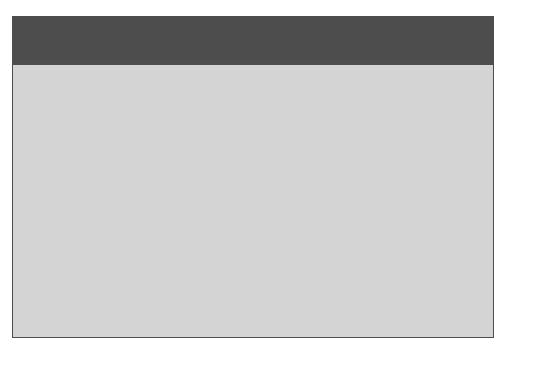
要實現的效果是:滑鼠左鍵在視窗上方的標題列按下並移動,視窗就跟著移動。
結構與準備工作
<div id="win">
  <div id="win_header"></div>
</div>
要讓視窗能自由移動,定位必須是 absolute;標題列用一個放在頂部的層來實作,並把游標設為 move(在 Chrome 中拖曳時游標會變成文字游標,放開後恢復)。
#win {
  position: absolute;
  width: 480px; height: 320px;
  background-color: #d4d4d4;
  border: 1px solid #4d4d4d;
}
#win_header {
  width: 480px; height: 48px;
  background-color: #4d4d4d;
  cursor: move;
}
工具函式與跨瀏覽器判斷
function $id(id) { return document.getElementById(id); }

var isIE = (window.navigator.userAgent.indexOf("IE") == -1) ? false : true;

var win    = $id("win");
var header = $id("win_header");
用一個小型別記錄座標
var pos = function(x, y) { this.x = x; this.y = y; };

var originalpos = new pos(20, 20);
var oldmouse = new pos(0, 0);   // 按下時滑鼠的位置
var oldpos   = new pos(0, 0);   // 按下時視窗的位置
var newpos   = new pos(0, 0);   // 移動後視窗的新位置

win.style.left = originalpos.x + "px";
win.style.top  = originalpos.y + "px";
作者註明了一個發現:這兩個值必須用 JS 設定,只在 CSS 中指定 left/top 會取不到值。這其實是因為讀取 element.style.left 只會拿到 inline style,CSS 類別中設定的值必須改用 getComputedStyle() 才讀得到。理解這個區別,比記住「要用 JS 設」更重要。
統一事件綁定
IE 用 attachEvent,非 IE 用 addEventListener,包一層起來:
function bind(ev, func) {
  if (isIE) header.attachEvent("on" + ev, func);
  else      header.addEventListener(ev, func, false);
}
滑鼠左鍵的判斷
這個程序只允許左鍵拖曳。要注意瀏覽器差異:IE 中左鍵的值是 1,非 IE 則是 0。
function isLeftButton(btn) {
  if (isIE) return btn == 1;
  return btn == 0;
}
拖曳的四個事件
拖曳本質上是「先 mousedown,再 mousemove」,所以需要用一個旗標區分「真的在拖」與「滑鼠剛好路過」。
var mousedown = false;

// 懸浮:用 JS 控制顏色變化(避開 CSS 相容問題)
function over(e) { header.style.backgroundColor = "#5d5d5d"; }

// 離開:順便觸發 up,處理「未放開就移出視窗」的情況
function out(e) {
  header.style.backgroundColor = "#4d4d4d";
  up(e);
}

// 按下:確認是左鍵後,記錄滑鼠與視窗的起點
function down(e) {
  e = e || event;
  if (!isLeftButton(e.button)) return;
  mousedown  = true;
  oldmouse.x = e.clientX;
  oldmouse.y = e.clientY;
  oldpos.x   = parseInt(win.style.left.replace("px", ""));
  oldpos.y   = parseInt(win.style.top.replace("px", ""));
}

// 放開
function up(e) {
  if (!isLeftButton(e.button)) return;
  mousedown = false;
}

// 移動:核心計算
function move(e) {
  if (!isLeftButton(e.button)) return;
  if (mousedown) {
    e = e || event;
    newpos.x = e.clientX - oldmouse.x;      // 滑鼠位移量
    newpos.y = e.clientY - oldmouse.y;
    win.style.left = (oldpos.x + newpos.x) + "px";
    win.style.top  = (oldpos.y + newpos.y) + "px";
  }
}

bind("mouseover", over);   bind("mouseenter", over);
bind("mouseout",  out);    bind("mouseleave", out);
bind("blur",      out);
bind("mousedown", down);
bind("mouseup",   up);
bind("mousemove", move);
核心公式只有一句:視窗新位置 = 按下時的視窗位置 + 滑鼠的位移量。所有複雜感都來自把「起點」與「位移」分開記錄這件事。
作者留下的問題與它的成因
原文提到「在 FF 中拖曳有問題,只能第一次正常拖動,後面就有點亂了」。原因就在上面那個 CSS 陷阱:down() 用 win.style.left.replace("px","") 去讀位置,而 move() 第一次執行後雖然設了 inline style,但如果起始值來源不穩,第二次拖曳的基準點就會算錯。正確作法是改用 win.offsetLeft/win.offsetTop,它們永遠回傳目前實際的像素值,不受 inline 與否影響。
現代寫法的對照
這份實作拆解得很清楚,但今天有幾個可以直接換掉的環節:
- 用 Pointer Events 取代滑鼠事件:
pointerdown/pointermove/pointerup一次搞定滑鼠、觸控與手寫筆,並用setPointerCapture()確保拖曳途中游標離開元素也不中斷。 - 用
transform: translate()取代left/top:transform 只觸發合成(composite),不觸發重排(reflow),拖曳會明顯更順。 - 用
getComputedStyle或offsetLeft讀位置,別解析style.left字串。 - 加邊界夾取:避免視窗被拖出可視區域而無法找回。
- 上一篇文章: IE6 背景圖不快取的成因與解法,以及 Web 圖片使用策略
- 下一篇文章: 用百度地圖 API 取得公車路線沿途站點座標的實作