jQuery實現連續動畫效果的實例分析
編輯:關於JavaScript
本文實例講述如何用jQuery實現一連串的連續動畫效果,分享給大家參考。
這裡演示如何把多段動畫預先編排好,再借助jQuery讓它們一個接一個地播放。這在網頁遊戲開發中是基礎但重要的動畫技巧,對從事前台設計的朋友來說也值得掌握。
先看運行效果截圖:
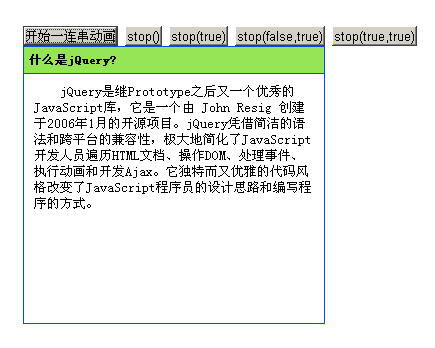
具體代碼如下:
<!DOCTYPE html PUBLIC "-//W3C//DTD XHTML 1.0 Transitional//EN" "https://www.w3.org/TR/xhtml1/DTD/xhtml1-transitional.dtd"> <html xmlns="https://www.w3.org/1999/xhtml"> <head> <meta http-equiv="Content-Type" content="text/html; charset=utf-8" /> <title>jQuery實現連續的動畫效果</title> <style type="text/css"> *{margin:0;padding:0;} body { font-size: 13px; line-height: 130%; padding: 60px } #panel { width: 60px; border: 1px solid #0050D0 ;height:22px;overflow:hidden;} .head { padding: 5px; background: #96E555; cursor: pointer;width: 300px;} .content { padding: 10px; text-indent: 2em; border-top: 1px solid #0050D0;display:block; width:280px;} </style> <script type="text/javascript" src="jquery1.3.2.js"></script> <script type="text/javascript"> $(function(){ $("button:eq(0)").click(function () { $("#panel") .animate({height : "150" } , 1000 ) .animate({width : "300" } , 1000 ) .hide(2000) .animate({height : "show" , width : "show" , opacity : "show" } , 1000 ) .animate({height : "500"} , 1000 ); }); $("button:eq(1)").click(function () { $("#panel").stop();//停止當前動畫,繼續下一個動畫 }); $("button:eq(2)").click(function () { $("#panel").stop(true);//清除元素的所有動畫 }); $("button:eq(3)").click(function () { $("#panel").stop(false,true);//讓當前動畫直接到達末狀態 ,繼續下一個動畫 }); $("button:eq(4)").click(function () { $("#panel").stop(true,true);//清除元素的所有動畫,讓當前動畫直接到達末狀態 }); }) </script> </head> <body> <button>開始一連串動畫</button> <button>stop()</button> <button>stop(true)</button> <button>stop(false,true)</button> <button>stop(true,true)</button> <div id="panel"> <h5 class="head">什麼是jQuery?</h5> <div class="content"> jQuery是繼Prototype之後又一個優秀的JavaScript庫,它是一個由 John Resig 創建於2006年1月的開源項目。jQuery憑借簡潔的語法和跨平台的兼容性,極大地簡化了JavaScript開發人員遍歷HTML文檔、操作DOM、處理事件、執行動畫和開發Ajax。它獨特而又優雅的代碼風格改變了JavaScript程序員的設計思路和編寫程序的方式。 </div> </div> </body> </html>核心在於 animate 的隊列機制:點擊「開始」後,一串 animate、hide 會依次排隊播放,形成連貫的動畫序列。而 stop() 方法則提供了強大的中斷控制——stop() 停止當前動畫並繼續下一個、stop(true) 清空整個隊列、stop(false,true) 讓當前動畫直接跳到末狀態再繼續、stop(true,true) 則是清空隊列並跳到末狀態。靈活掌握這四種組合,就能精細控制複雜動畫的播放與中斷。
希望本文所述對你的jQuery程序設計有所幫助。
- 上一篇文章: jQuery控制DIV層實現由大到小、由遠及近的動畫效果
- 下一篇文章: jQuery實現往返城市與日期選擇查詢的實例講解
熱門推薦