前言
這不是教學文,只是學習 Vue 過程中的個人理解與整理,寫錯的地方歡迎指正。
1. computed 裡不能用 vm 變數
計算屬性的函數執行時,Vue 建構函數還沒返回,vm 變數不存在,只能用 this。若使用 TypeScript 想要智能感知,可以在函數開頭補一行:
vm = vm || this;
其他只能用 this 的地方(例如 mounted 系列生命週期)也可以用同樣手法取得型別提示。至於模板裡的 vm 引用,除非等到 TS 支援 Vue 的 JSX 語法,否則暫時無解。
2. computed 能不能引用其他 computed
官方沒有明確說明,但從實務使用可以歸納出三點:
- 計算屬性必須最終依賴非計算屬性或固定值。
- 計算屬性可以引用其他計算屬性,但被引用者同樣要滿足上一條。
- 允許鏈式依賴,但依賴鏈最上游一定要接到非計算屬性或固定值。
標準用法:
var vm = new Vue({
  el: "#app",
  data: { dataVal: "xxcanghai" },
  computed: {
    computedVal1: function () {
      return this.dataVal + "_1";   // xxcanghai_1
    }
  }
});
鏈式依賴:
computed: {
  computedVal1: function () {
    return this.dataVal + "_1";
  },
  computedVal2: function () {
    return this.computedVal1 + "_2";  // xxcanghai_1_2,合法
  }
}
原因很直觀:如果整條鏈最終沒有接到任何非計算屬性,求值時就會陷入無限迴圈。
3. Vue 2 中,父元件在 $forceUpdate() 之前 $children 是空陣列
觸發條件有三個:Vue 版本為 2.x(1.x 無此問題);父元件模板中直接訪問 $children;渲染完成後沒有把 $children 寫進父元件的 data 或其他響應式資料。
<div id="app">
  <div>{{$children.length}}</div>  <!-- 顯示 0,其實應該是 3 -->
  <child></child>
  <child></child>
  <child></child>
</div>

Vue.component("child", { template: "<div>child</div>" });
new Vue({ el: "#app" });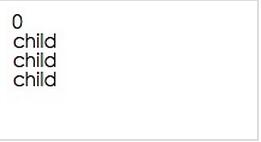
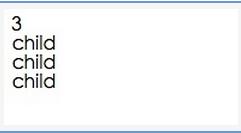
解法一:在父元件的 mounted 中呼叫 this.$forceUpdate() 強制重繪。
new Vue({
  el: "#app",
  mounted: function () { this.$forceUpdate(); }
});
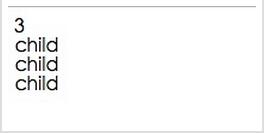
解法二:在 mounted 中把 $children 賦值給自訂的響應式變數,模板改用該變數。
<div id="app">
  <div>{{child.length}}</div>
  <child></child>
  <child></child>
  <child></child>
</div>

var vm = new Vue({
  el: "#app",
  data: { child: [] },
  mounted: function () {
    this.child = this.$children;
  }
});
更深層的原因得讀 Vue 2 的原始碼才能確定。
4. 父元件模板沒有引用 slot 時,$children 恆為空陣列
這是上一個問題的延伸,觸發前提:Vue 2.x、父子元件都直接寫在呼叫方模板中、模板中訪問 $children、且已套用強制重繪。
<div id="app">
  <parent>
    <child></child>
    <child></child>
    <child></child>
  </parent>
</div>

Vue.component("parent", {
  template: "<p>parent child:{{$children.length}}</p>",  // 沒有 slot
  mounted() { this.$forceUpdate(); }
});
Vue.component("child", { template: "<div>child</div>" });
new Vue({ el: "#app" });
解法一:父元件模板中加入 <slot></slot>,或在 render 函數中引用 this.$slots.default。
Vue.component("parent", {
  template: "<p>parent child:{{$children.length}} <slot></slot></p>",
  mounted() { this.$forceUpdate(); }
});
解法二:把子元件的定義直接寫在父元件模板裡,而不是交給呼叫方。
<div id="app">
  <parent></parent>
</div>

Vue.component("parent", {
  template: "<p>parent child:{{$children.length}}\
<child></child>\
<child></child>\
</p>",
  mounted() { this.$forceUpdate(); }
});
Vue.component("child", { template: "<div>child</div>" });
new Vue({ el: "#app" });
這種寫法能解決問題,但有時候把子元件寫在呼叫方更好懂,例如 Tab 與 TabPage 的組合:
<div id="app">
  <tab>
    <tab-page>Page1</tab-page>
    <tab-page>Page2</tab-page>
    <tab-page>Page3</tab-page>
  </tab>
</div>
相關筆記
Vue 學習筆記-1(https://www.jb51.net/article/98869.htm)、Vue 學習筆記-2(https://www.jb51.net/article/98878.htm)。本文已整理進《Vue.js 前端組件學習教程》。