JavaScript 六位密碼輸入框:真偽輸入框的互動設計
編輯:關於JavaScript
六位數密碼輸入框常見於驗證碼、付款確認與登入流程。若希望呈現一格一格的視覺效果,但又不想真的建立六個 input,可以用一個真實輸入框搭配多個偽輸入框來完成。
設計原理
真實輸入框負責接收焦點與鍵盤輸入,但可將文字設為透明;偽輸入框則負責顯示每一格內容。使用者看到的其實是一組假方塊,實際輸入仍由真實輸入框處理。
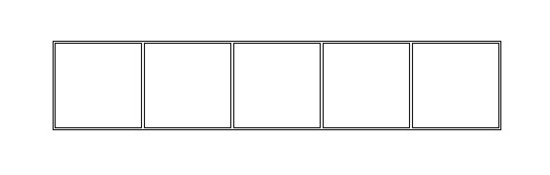
初始化與事件
先取得容器、真實輸入框與偽輸入框陣列,再監聽輸入事件。當使用者輸入時,把內容同步到各個偽方塊中。
function init(fun) {
  var that = this;
  this.callback = fun;
  that.realInput = container.children[0];
  that.bogusInput = container.children[1];
  that.bogusInputArr = that.bogusInput.children;
  that.maxLength = that.bogusInputArr[0].getAttribute("maxlength");

  that.realInput.oninput = function () {
    that.setValue();
  };
}
同步內容
setValue 可先過濾非數字字元,再把字串依序填入偽輸入框。若已達最大長度,也可觸發回呼,例如自動送出或顯示結果。
function setValue() {
  this.realInput.value = this.realInput.value.replace(/\D/g, "");
  var real_str = this.realInput.value;

  for (var i = 0; i < this.maxLength; i++) {
    this.bogusInputArr[i].value = real_str[i] ? real_str[i] : "";
  }

  if (real_str.length >= this.maxLength) {
    this.realInput.value = real_str.substring(0, 6);
    this.callback();
  }
}
這種做法兼顧視覺呈現與輸入體驗,也很適合用於需要自訂鍵盤互動或行動端輸入最佳化的場景。