原生 JS 實現 div 拖拽並回放運動軌跡
編輯:關於JavaScript
本文實現一個有意思的拖拽效果:用鼠標拖動方塊時,後台同步記錄路徑坐標;放開鼠標後,幾個「残影」方塊會沿著剛才的軌跡依次重演這段運動。
示例提供【記住軌跡】與【不記住軌跡】兩種模式,切換後能看到明顯不同的演示效果。
運行效果圖:
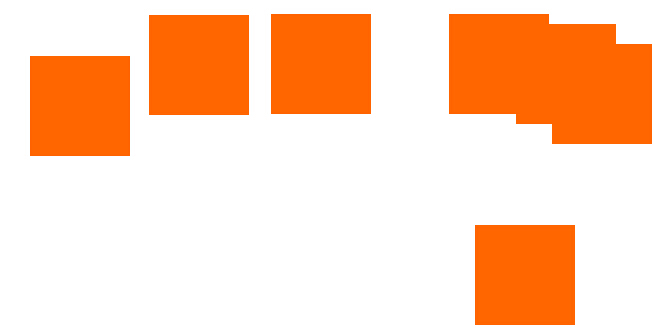
小提示:浏覽器中如果不能正常運行,可以嘗試切換浏覽模式。
實現思路
整體分兩個「類」:
- MyDrag:負責拖拽。在
mousedown時克隆一個半透明副本跟隨鼠標移動,同時用setInterval每 10ms 把當前坐標以"x_y"的形式壓入_pos數組;mouseup時把真實元素定位到最終位置,並觸發軌跡回放。 - ObjMove:負責回放。按 50ms 的節奏依次創建方塊,沿
_pos記錄的坐標逐幀移動,播完即自行銷毀。
另外還封裝了 Class.create、Extend、Bind、BindAsEventListener 以及事件綁定/解綁與絕對位置計算等基礎工具函數,這些通常會抽到一個 base.js 裡複用。
具體代碼
<!DOCTYPE html PUBLIC "-//W3C//DTD XHTML 1.0 Transitional//EN" "https://www.w3.org/TR/xhtml1/DTD/xhtml1-transitional.dtd">
<html xmlns="https://www.w3.org/1999/xhtml">
<head>
<meta http-equiv="Content-Type" content="text/html; charset=utf-8" />
<title>js div拖動動畫運行軌跡效果</title>
<style type="text/css">
*{margin:0px;padding:0px;}
#div1{position:relative;left:200px;top:200px;width:100px; height:100px; background-color:#f60;cursor:move;}
</style>
<script type="text/javascript">
var isIE = (document.all) ? true : false;
var $ID = function(id){ return "string"==typeof id ? document.getElementById(id) : id; }
var Class = { create:function(){ return function(){ this.initilize.apply(this,arguments); } } }
var Extend = function(destination, source){
    for(var property in source){ destination[property] = source[property]; }
}
var Bind = function(object, fun){
    var args = Array.prototype.slice.call(arguments).slice(2);
    return function(){ return fun.apply(object, args); }
}
var BindAsEventListener = function(object, fun){
    var args = Array.prototype.slice.call(arguments).slice(2);
    return function(event){ return fun.apply(object, [event||window.event].concat(args)); }
}
function addEventHandler(oTarget, sEventType, fnHandler) {
    if (oTarget.addEventListener) {
        oTarget.addEventListener(sEventType, fnHandler, false);
    } else if (oTarget.attachEvent) {
        oTarget.attachEvent("on" + sEventType, fnHandler);
    } else {
        oTarget["on" + sEventType] = fnHandler;
    }
};
function removeEventHandler(oTarget, sEventType, fnHandler) {
    if (oTarget.removeEventListener) {
        oTarget.removeEventListener(sEventType, fnHandler, false);
    } else if (oTarget.detachEvent) {
        oTarget.detachEvent("on" + sEventType, fnHandler);
    } else {
        oTarget["on" + sEventType] = null;
    }
};
function getNodePosition(node, type){ // type = "left" or "top"
    var nodeTemp = node;
    var l = 0, t = 0;
    while(nodeTemp != document.body && nodeTemp != null){
        l += nodeTemp.offsetLeft;
        t += nodeTemp.offsetTop;
        nodeTemp = nodeTemp.offsetParent;
    }
    if(type.toLowerCase() == "left") return l; else return t;
}
</script>
<script type="text/javascript">
var MyDrag = Class.create();
MyDrag.prototype = {
    initilize: function(obj){
        this.Obj = $ID(obj);
        this._x = this._y = 0;
        this._xx = this._yy = 0;   // Move 記錄坐標
        this.Obj.style.position = "absolute";
        this._pos = [];
        this._ifSavePos = true;
        this._t = null;
        this._speed = 10;
        this._indexMove = 0;
        this._fnStart = BindAsEventListener(this, this.Start);
        this._fnMove = BindAsEventListener(this, this.Move);
        this._fnStop = Bind(this, this.Stop);
        addEventHandler(this.Obj, "mousedown", this._fnStart);
    },
    Start: function(oEvent){
        if(!this._ifSavePos) this._pos = [];
        this.Drag = this.Obj.cloneNode(true);
        if(isIE) this.Drag.style.filter = "alpha(opacity=50)";
        else this.Drag.style.opacity = "0.5";
        this.Obj.parentNode.appendChild(this.Drag);
        this._left1 = this._xx = getNodePosition(this.Obj, "left");
        this._top1 = this._yy = getNodePosition(this.Obj, "top");
        this._x = oEvent.clientX - this.Obj.offsetLeft;
        this._y = oEvent.clientY - this.Obj.offsetTop;
        addEventHandler(document, "mousemove", this._fnMove);
        addEventHandler(document, "mouseup", this._fnStop);
        this._t = setInterval(Bind(this, this.SavePos), 10);
    },
    SavePos: function(){ // 記錄坐標點
        this._pos.push(this._xx + "_" + this._yy);
    },
    Move: function(oEvent){
        if(isIE) oEvent.returnValue = false;
        this._xx = oEvent.clientX - this._x;
        this._yy = oEvent.clientY - this._y;
        this.Drag.style.left = this._xx + "px";
        this.Drag.style.top = this._yy + "px";
    },
    Stop: function(){
        removeEventHandler(document, "mousemove", this._fnMove);
        removeEventHandler(document, "mouseup", this._fnStop);
        this.Obj.parentNode.removeChild(this.Drag);
        this.Obj.style.left = this._xx + "px";
        this.Obj.style.top = this._yy + "px";
        clearInterval(this._t);
        this._fnCloneMove = Bind(this, this.CloneMove);
        this._t = setTimeout(this._fnCloneMove, 50);
    },
    CloneMove: function(){
        if(this._indexMove < 6){
            new ObjMove({ x1: this._left1, y1: this._top1, x2: this._xx, y2: this._yy, pos: this._pos });
            this._indexMove++;
            this._t = setTimeout(this._fnCloneMove, 50);
        } else {
            clearTimeout(this._t);
            this._indexMove = 0;
        }
    }
}
var ObjMove = Class.create();
ObjMove.prototype = {
    initilize: function(options){
        this.SetOptions(options);
        this.Obj = document.createElement("DIV");
        this.Obj.style.cssText = "position:absolute;left:"+ this.options.x1 +"px;top:"+ this.options.y1
            +"px;width:100px;height:100px;background-color:#f60;filter:alpha(opacity=100);opacity:1;";
        document.body.appendChild(this.Obj);
        this.Move2();
    },
    SetOptions: function(options) {
        this.options = { x1: 0, y1: 0, x2: 0, y2: 0, pos: [] };
        Extend(this.options, options || {});
    },
    Move2: function(){
        this._indexMove = 0;
        this._fnMovePos = Bind(this, this.MovePos);
        this._t = setInterval(this._fnMovePos, 10);
    },
    MovePos: function(){
        if(this._indexMove >= this.options.pos.length){
            this.options.pos = [];
            document.body.removeChild(this.Obj);
            clearInterval(this._t);
        } else {
            this.Obj.style.left = this.options.pos[this._indexMove].split("_")[0] + "px";
            this.Obj.style.top = this.options.pos[this._indexMove].split("_")[1] + "px";
        }
        this._indexMove++;
    }
}
onload = function(){
    var myDrag = new MyDrag("div1");
    $ID("rad1").onclick = function(){ myDrag._ifSavePos = true; }
    $ID("rad2").onclick = function(){ myDrag._ifSavePos = false; }
}
</script>
</head>
<body>
<center>
<br>
<div>隨意拖動那個小方塊幾秒鐘</div><br>
<label for="rad1"><input type="radio" id="rad1" name="rad" checked="checked"/>記住軌跡</label>
<label for="rad2"><input type="radio" id="rad2" name="rad"/>不記住軌跡</label>
<div id="div1"></div>
</center>
</body>
</html>
適用浏覽器:IE8、360、FireFox、Chrome、Safari、Opera、傲游、搜狗、世界之窗。
這個例子把「事件封裝 + 定時採樣 + 序列回放」三件事組合在一起,是理解拖拽類交互底層原理的不錯練習。
- 上一篇文章: JavaScript 中 JSON 的判斷與處理技巧匯總
- 下一篇文章: JS + div 實現 TAB 切換與無縫文字滾動