用原生 JavaScript 打造 HTML5 自訂視頻播放器
編輯:關於JavaScript
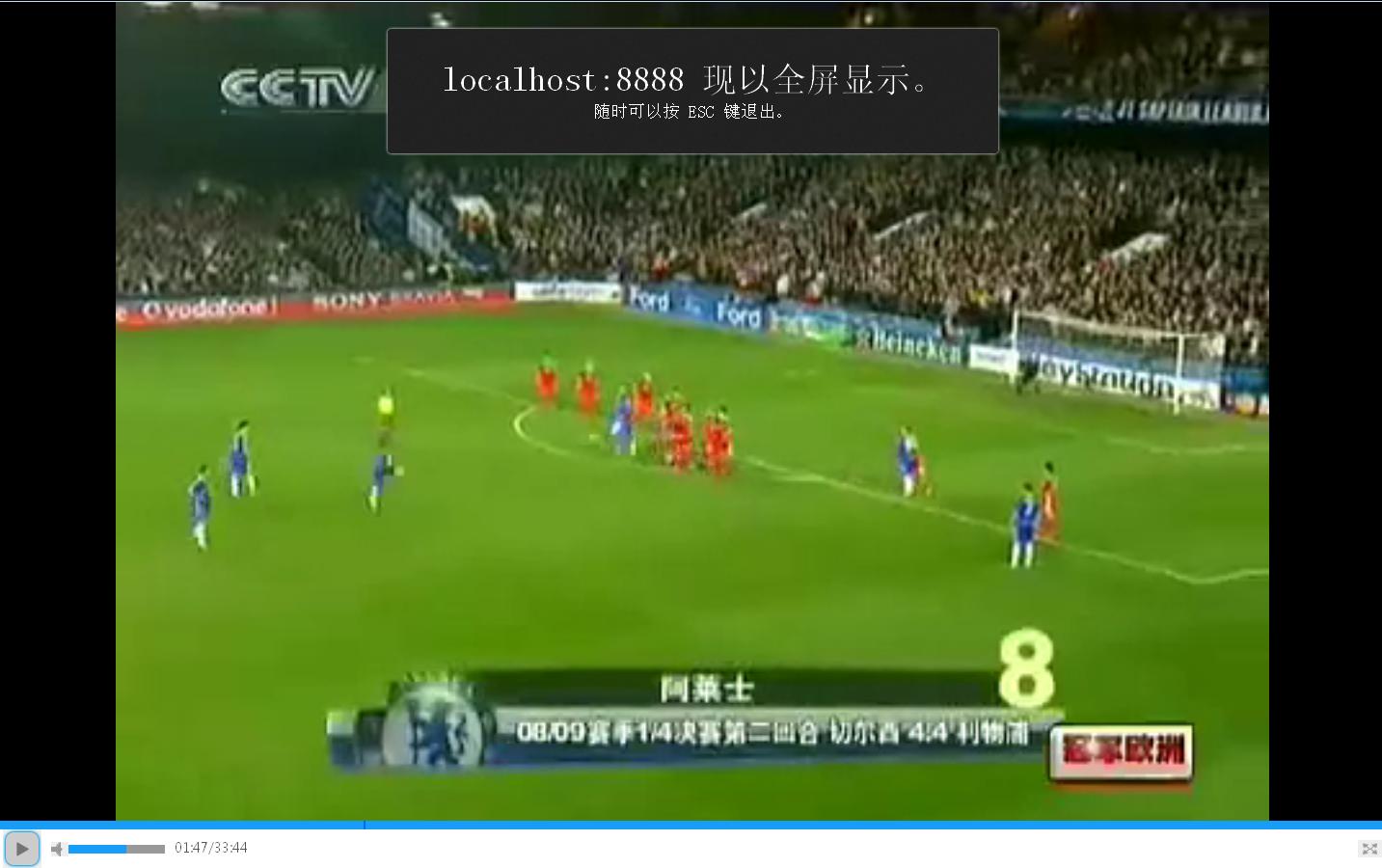
HTML5 的 <video> 標籤自帶控制列,但樣式幾乎無法客製。本文示範如何隱藏原生控制項,用 JavaScript 自己刻一個完整的播放器:播放/暫停、進度條與快轉、音量、靜音、全屏,以及自動隱藏控制列。
效果預覽
用到的 video API
整個播放器其實只靠這幾個介面:play()/pause() 控制播放;currentTime 讀寫播放位置;duration 是總長度;volume 是 0~1 的音量;buffered 是已緩衝的時間範圍;而 timeupdate、loadedmetadata 兩個事件負責驅動介面更新。
JavaScript
define("html5_video_player", ['../avalon-min'], function(avalon) {

  // 秒數 -> mm:ss
  function formatTime(seconds) {
    var seconds = Math.round(seconds);
    var minutes = Math.floor(seconds / 60);
    seconds = Math.floor(seconds % 60);
    minutes = (minutes >= 10) ? minutes : "0" + minutes;
    seconds = (seconds >= 10) ? seconds : "0" + seconds;
    return minutes + ":" + seconds;
  }

  var playing = false, mute = false, vol = 50, fs = false,
      active = false, inactivityTimeout = null;

  // 播放 / 暫停
  avalon.bind($('control_btn'), 'click', function() {
    if (!playing) {
      $('html5_video').play();
      $('control_btn').className = 'html5_video_pause_btn inline-block';
      playing = true;
    } else {
      $('html5_video').pause();
      $('control_btn').className = 'html5_video_play_btn inline-block';
      playing = false;
    }
  });

  // 點擊進度條跳轉
  avalon.bind($('video_bar'), 'click', function(e) {
    var a = (e.clientX - $('video_bar').offsetLeft) / $('video_bar').offsetWidth;
    $('html5_video').currentTime = a * $('html5_video').duration;
  });

  // 音量
  avalon.bind($('vol_bar'), 'click', function(e) {
    var a = (e.clientX - $('vol_bar').offsetLeft - 8) / $('vol_bar').offsetWidth;
    vol = $('html5_video').volume = a;
    $('vol_value').style.width = a * 100 + '%';
  });

  // 靜音切換
  avalon.bind($('mute_icon'), 'click', function() {
    if (!mute) {
      $('html5_video').volume = 0;
      $('mute_icon').className = 'html5_video_mute1';
      mute = true;
    } else {
      $('html5_video').volume = vol;
      $('mute_icon').className = 'html5_video_mute';
      mute = false;
    }
  });

  //  metadata 就緒:可以取得總長度
  avalon.bind($('html5_video'), 'loadedmetadata', function() {
    $('html5_video_duration').innerHTML = formatTime($('html5_video').duration);
    $('html5_video').volume = 0;
  });

  // 播放進度更新
  avalon.bind($('html5_video'), 'timeupdate', function() {
    $('html5_play_time').innerHTML = formatTime($('html5_video').currentTime);
    $('video_progress_bar').style.left =
      $('html5_video').currentTime / $('html5_video').duration * 100 + '%';
  });

  // 全屏
  avalon.bind($('html5_video_fullscreen'), 'click', function() {
    fs ? exit_fullscreen() : toggle_fullscreen();
  });

  function exit_fullscreen() {
    $('html5_video').className = '';
    $('video_control').className = '';
    fs = false; active = false;
    if (document.exitFullscreen)            { document.exitFullscreen(); }
    else if (document.webkitCancelFullScreen) { document.webkitCancelFullScreen(); }
    else if (document.mozCancelFullScreen)  { document.mozCancelFullScreen(); }
  }

  function toggle_fullscreen() {
    $('html5_video').className = 'video_fs';
    $('video_control').className = 'fullscreen';
    fs = true;
    var elem = $('html5_video');
    if (elem.msRequestFullscreen)       { elem.msRequestFullscreen(); }
    else if (elem.mozRequestFullScreen) { elem.mozRequestFullScreen(); }
    else if (elem.webkitRequestFullscreen) { elem.webkitRequestFullscreen(); }
  }

  // 緩衝進度
  function updateBuffered() {
    var r = $('html5_video').buffered;
    if (r && r.length) {
      $('video_buffer_bar').style.width = r.end(r.length - 1) / $('html5_video').duration * 100 + '%';
    }
  }
  setInterval(updateBuffered, 500);

  // 控制列自動隱藏
  function hideControl() {
    if (active) { $('video_control').style.display = 'none'; active = false; }
  }
  avalon.bind($('html5_video'), 'mousemove', function() {
    if (fs) {
      clearTimeout(inactivityTimeout);
      active = true;
      $('video_control').style.display = 'block';
      inactivityTimeout = setTimeout(hideControl, 5000);
    }
  });
});
HTML
<div id='wrap_html5_video'>
  <div id='html5_video_area'>
    <video id="html5_video" width="360" height="240">
      <source type="video/mp4"  src="videos/2.mp4"></source>
      <source type="video/webm" src="videos/2.webm"></source>
    </video>
  </div>
  <div id='video_control'>
    <div id='video_bar'>
      <div id='video_buffer_bar'></div>
      <div id='video_progress_bar'></div>
    </div>
    <div id='play_control'>
      <ul>
        <li class='inline-block'><a id='control_btn' class='html5_video_play_btn inline-block'></a></li>
        <li class='inline-block'>
          <a id='mute_icon' class='html5_video_mute'></a>
          <div id='vol_bar' class='inline-block'><p id='vol_value'></p></div>
        </li>
        <li class='inline-block' id='html5_video_time'>
          <span id='html5_play_time'>00:00</span><span>/</span><span id='html5_video_duration'>00:00</span>
        </li>
        <li class='inline-block'><a id='html5_video_fullscreen' class='inline-block'></a></li>
      </ul>
    </div>
  </div>
</div>
<script type="text/javascript">require('html5/html5_video_player');</script>
CSS 重點
樣式部分主要做三件事:把進度條與音量條的底層設定為灰色、以絕對定位疊上藍色的進度指示、再用 sprite 圖換切換播放鈕的 hover 狀態。最關鍵的一行是隱藏原生控制列:
video::-webkit-media-controls { display: none !important; }
#video_bar, #vol_bar { position: relative; height: 9px; background: #999; }
#video_progress_bar, #video_buffer_bar { position: absolute; height: 100%; }
#video_progress_bar { background: #0066FF; width: 2px; left: 0; }
實務上可以更好的地方
用標準事件取代 prefix 寫法。範例中為了相容舊版瀏覽器寫了一堆 webkitRequestFullscreen、mozRequestFullScreen,現在主流瀏覽器都已支援標準的 requestFullscreen(),可以直接簡化。
音量不能設超過 1。範例把 vol 初始值寫成 50 是個瑕疵,HTML5 的 volume 範圍是 0 到 1,指定 50 會被忽略。應改為 0.5 並在設定時夾住範圍。
多個 video 來源順序有講究。瀏覽器會依序嘗試 <source>,把相容性最好的 mp4 放前面、webm 放後面比較恰當。
鍵盤操作別忘了。自製播放器最容易漏掉的就是無障礙:幫每顆按鈕加上 aria-label,並支援空白鍵播放、左右鍵快轉、上下鍵調整音量,才算完整。
以上就是自製 HTML5 播放器的完整實作說明,希望對你的開發有所幫助。
- 上一篇文章: 用 avalon.js 製作自適應瀑布流版面
- 下一篇文章: 純 CSS 加一小段 JS:打造多層級左側選單