微信小程序列表實作:上拉載入更多與下拉刷新的完整流程
編輯:JavaScript技巧
微信小程序自 9 月 21 日之後可以說是最熱門的話題之一,一出現就在開發者圈裡炸開。難免有人擔心:小程序的來臨會不會顛覆行動端 App、讓 App 工程師失業?身為一個 Android 開發者,我倒不這麼認為——即使有那麼一天,也需要一兩年的過渡與打磨。
不論小程序最終會不會改寫行動開發的格局,保持開放心態去學習總沒錯。不排斥新技術,那就先動手:裝好開發工具,接著就來實作列表的上拉載入與下拉刷新(資料來源用聚合數據平台的微信新聞介面)。
一、先認識幾個元件
1.1 scroll-view
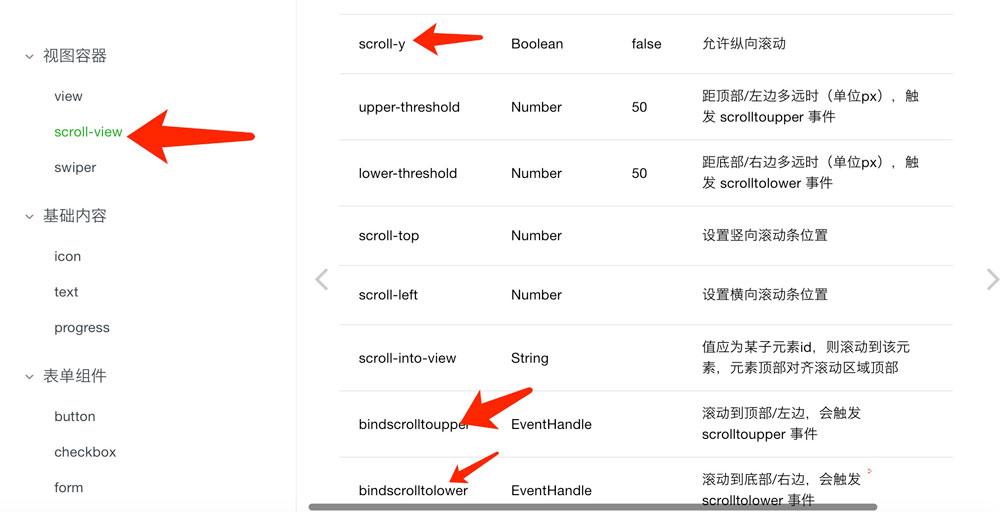
注意:使用垂直滾動時必須給一個固定高度,透過 WXSS 設定 height。
1.2 image
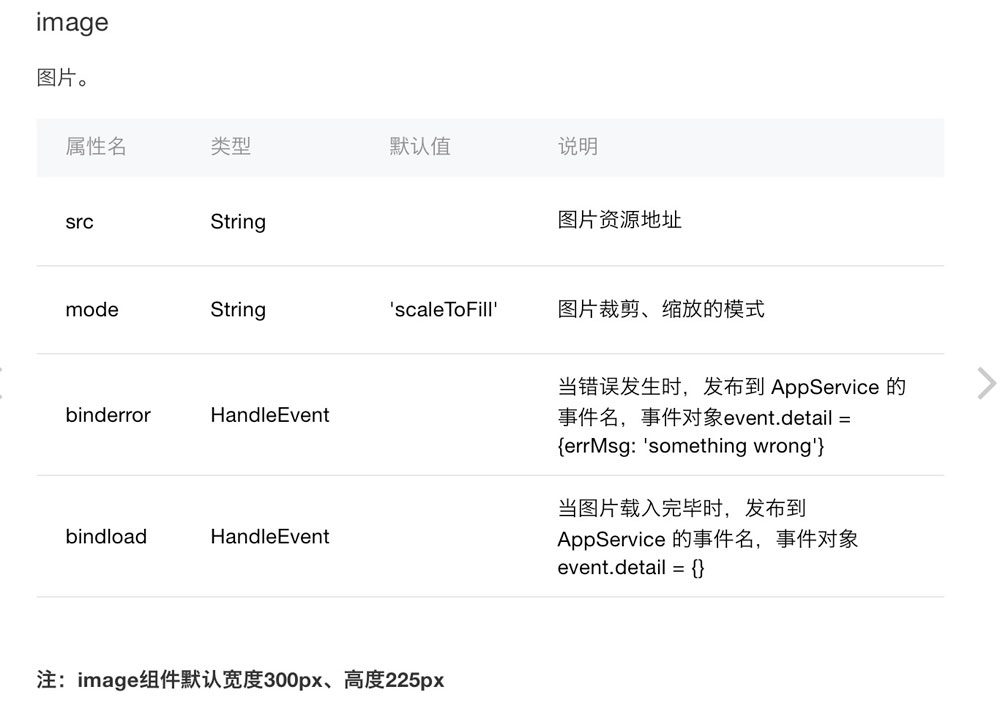
注意:mode 共有 12 種,其中 3 種為縮放模式、9 種為裁剪模式。
1.3 icon
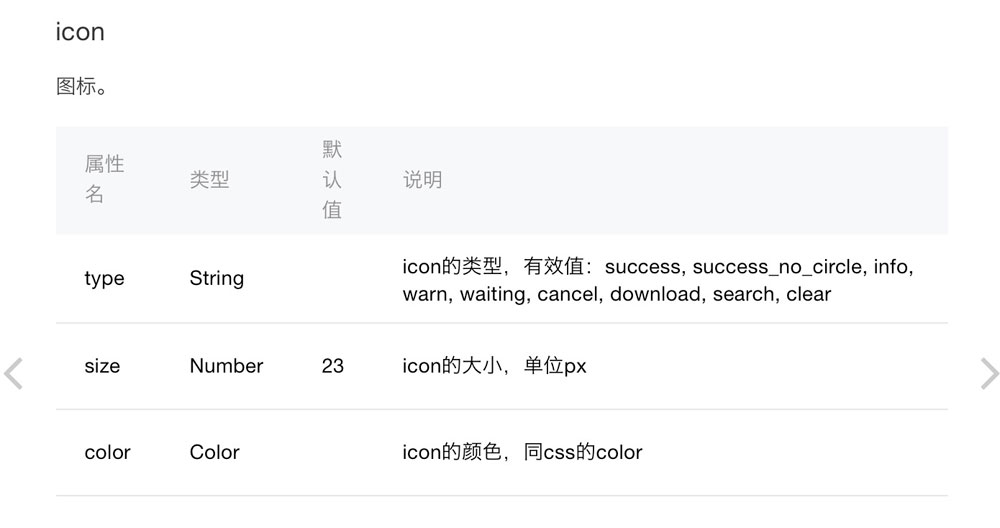
 iconType: [
   'success', 'info', 'warn', 'waiting', 'safe_success', 'safe_warn',
   'success_circle', 'success_no_circle', 'waiting_circle', 'circle',
   'download', 'info_circle', 'cancel', 'search', 'clear'
 ]
二、上拉載入與下拉刷新的實作
2.1 先看效果
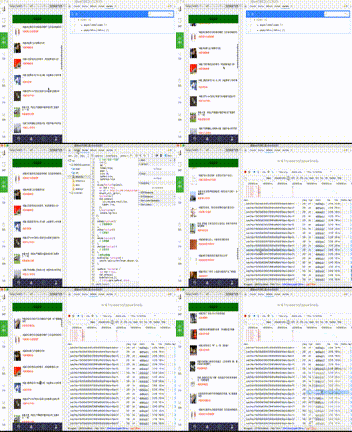
2.2 邏輯不複雜,直接看程式碼
detail.wxml 版面
 <loading hidden="{{hidden}}" bindchange="loadingChange">
   加載中...
 </loading>

 <scroll-view scroll-y="true" style="height: 100%;"
   bindscrolltolower="loadMore" bindscrolltoupper="refesh">

   <!-- 刷新提示 -->
   <view wx:if="{{hasRefesh}}" style="display: flex;flex-direction: row;align-items: center;align-self: center;justify-content: center;">
     <icon type="waiting" size="45"/><text>刷新中...</text>
   </view>
   <view wx:else style="display:none"><text></text></view>

   <!-- 列表 -->
   <view class="lll" wx:for="{{list}}" wx:for-item="item" bindtap="bindViewTap" data-title="{{item.title}}">
     <image style="width: 50px;height: 50px;margin: 20rpx;" src="{{item.firstImg}}"></image>
     <view class="eee">
       <view style="margin:5px;font-size:8px">標題:{{item.title}}</view>
       <view style="margin:5px;color:red;font-size:6px">來源:{{item.source}}</view>
     </view>
   </view>

   <!-- 載入更多提示 -->
   <view class="tips1">
     <view wx:if="{{hasMore}}" style="display: flex;flex-direction: row;align-items: center;align-self: center;justify-content: center;">
       <icon type="waiting" size="45"/><text>玩命的加載中...</text>
     </view>
     <view wx:else><text>沒有更多內容了</text></view>
   </view>
 </scroll-view>
detail.js 邏輯
 var network_util = require('../../utils/network_util.js');
 var json_util = require('../../utils/json_util.js');

 Page({
   data: {
     list: [],
     dd: '',
     hidden: false,
     page: 1,
     size: 20,
     hasMore: true,
     hasRefesh: false
   },

   onLoad: function(options){
     var that = this;
     var url = 'https://v.juhe.cn/weixin/query?key=f16af393a63364b729fd81ed9fdd4b7d&pno=1&ps=10';
     network_util._get(url, function(res){
       that.setData({
         list: res.data.result.list,
         hidden: true,
       });
     }, function(res){
       console.log(res);
     });
   },

   onReady: function(){ /* 頁面渲染完成 */ },
   onShow: function(){ /* 頁面顯示 */ },
   onHide: function(){ /* 頁面隱藏 */ },
   onUnload: function(){ /* 頁面關閉 */ },

   // 點擊列表項
   bindViewTap: function(e) {
     console.log(e.currentTarget.dataset.title);
   },

   // 上拉載入更多
   loadMore: function(e) {
     var that = this;
     if (!this.data.hasMore) return;
     that.setData({ hasRefesh: true });

     var url = 'https://v.juhe.cn/weixin/query?key=f16af393a63364b729fd81ed9fdd4b7d&pno=' + (++that.data.page) + '&ps=10';
     network_util._get(url, function(res){
       that.setData({
         list: that.data.list.concat(res.data.result.list),
         hidden: true,
         hasRefesh: false,
       });
     }, function(res){
       console.log(res);
     });
   },

   // 下拉刷新
   refesh: function(e) {
     var that = this;
     that.setData({ hasRefesh: true });

     var url = 'https://v.juhe.cn/weixin/query?key=f16af393a63364b729fd81ed9fdd4b7d&pno=1&ps=10';
     network_util._get(url, function(res){
       that.setData({
         list: res.data.result.list,
         hidden: true,
         page: 1,
         hasRefesh: false,
       });
     }, function(res){
       console.log(res);
     });
   },
 })
最終成果:
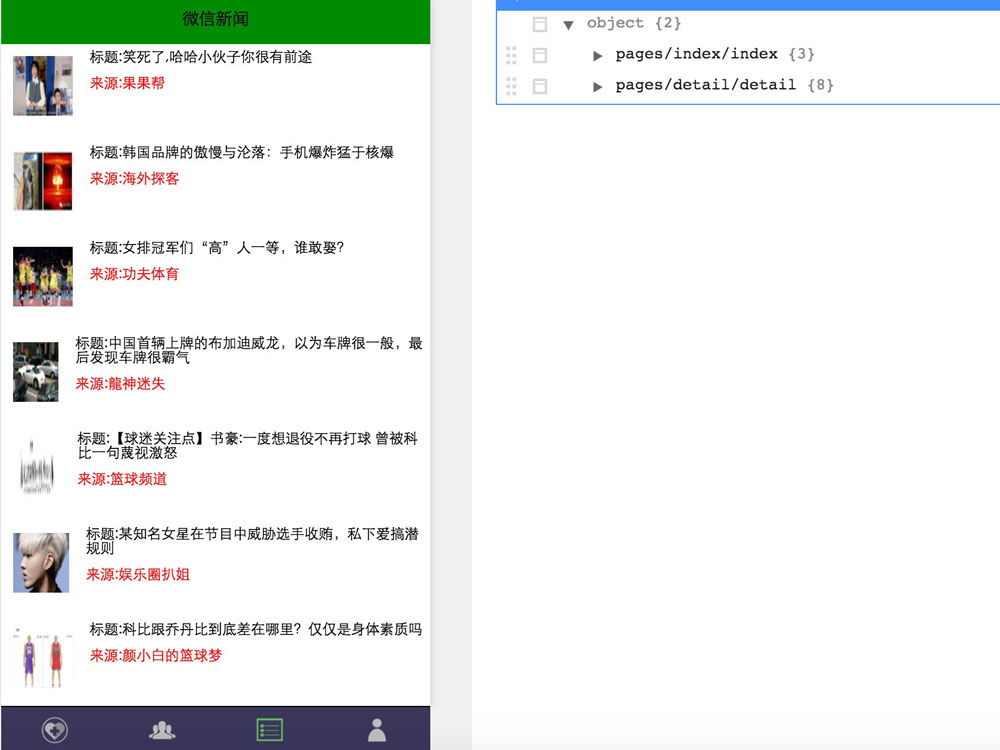
這裡有幾個實作細節值得留意:loadMore 用 concat 把新資料接在舊資料後面,而 refesh 則直接覆寫整個 list 並把 page 重置為 1,兩者的差別正是「追加」與「重置」;另外 hasMore 這個旗標用來在沒有更多資料時提早 return,避免發出無效請求。實際上線時,記得把範例中的 API key 換掉,並為請求加上 loading 與錯誤處理。
新聞詳情頁的實作留待下一篇。程式碼下載:https://xiazai.jb51.net/201703/yuanma/WeiXinProject-master_jb51.rar
以上就是本次分享的全部內容,希望對你的學習或工作有所幫助。