用 jQuery 為二級選單自動選中當前頁的 CSS 樣式
編輯:JQuery入門技巧
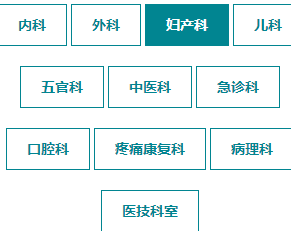
以下示範如何讓二級選單在進入對應頁面時,自動為當前所在欄目加上高亮樣式。
<div class="navlist clear"> <span><a href="/M/Page_32.html" title="內科" >內科</a></span> <span><a href="/M/Page_35.html" title="外科" >外科</a></span> <span><a href="/M/Page_37.html" title="婦產科" >婦產科</a></span> <span><a href="/M/Page_38.html" title="兒科" >兒科</a></span> <span><a href="/M/Page_39.html" title="五官科" >五官科</a></span> <span><a href="/M/Page_40.html" title="中醫科" >中醫科</a></span> <span><a href="/M/Page_41.html" title="急診科" >急診科</a></span> <span><a href="/M/Page_42.html" title="口腔科" >口腔科</a></span> <span><a href="/M/Page_43.html" title="疼痛康復科" >疼痛康復科</a></span> <span><a href="/M/Page_44.html" title="病理科" >病理科</a></span> <span><a href="/M/Page_46.html" title="醫技科室" >醫技科室</a></span> <script> var url = window.location.href; $(".navlist span a").each(function () { if (url.indexOf($(this).attr("href")) > 0) { $(this).addClass("curent") } }) </script> </div>
這段 JS 的做法是:判斷當前頁面的 URL 是否包含二級欄目中的連結位址,若包含就為該連結加上名為 curent 的 class,藉此達到自動高亮的效果。

以上就是這篇 jQuery 二級選單自動選中當前頁 CSS 樣式的分享,希望對你有所幫助。
- 上一篇文章: 用 jQuery 為當前頁或跳轉後頁面的導覽欄加上選中樣式
- 下一篇文章: 解決 jQuery on 綁定事件被觸發多次的問題