這篇分享一個整合 jQuery UI 與 Bootstrap 後自己封裝的提示元件,同時提供 alert、confirm、prompt 三種能力,並支援 callback 與正則表達式驗證。
效果預覽
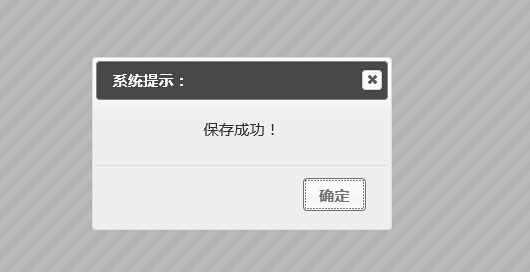
alert:一般提示,樣式可自由客製。
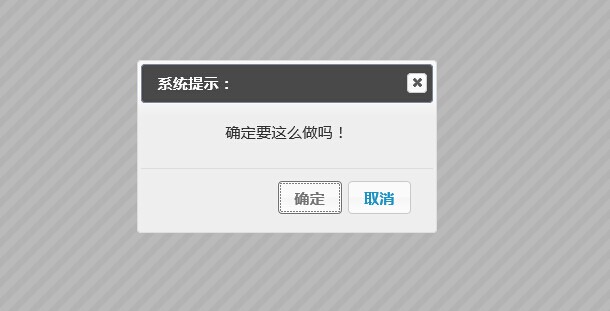
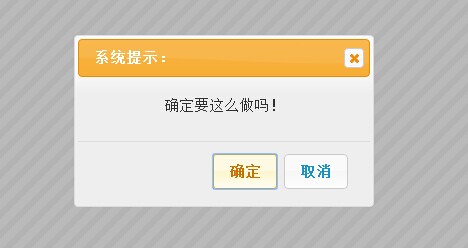
confirm:確認框,支援 callback。
window.shconfirm = function (message, callback) // callback 參數為 true/false
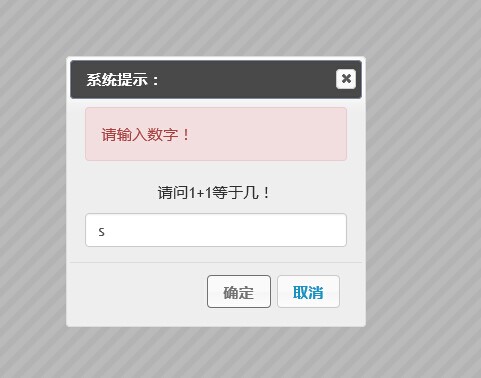
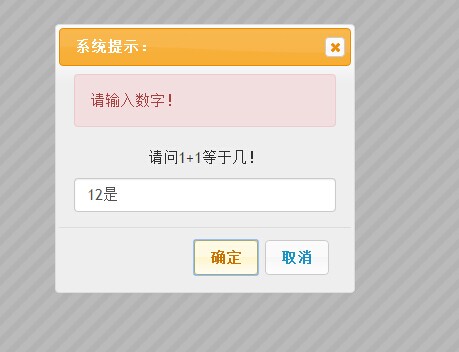
prompt:邀請使用者輸入,可帶入正則驗證。
window.shprompt = function (message, callback, regex, regexmsg)
message:提示訊息
callback:回呼函數,回傳使用者輸入的值
regex 與 regexmsg:選填,用於驗證輸入內容,兩者需同時提供,不可單獨使用
封裝實作
(function(){
var _shconfirm = {}, _shprompt = {};
$(function(){ // 閉包初始化
$("#dialogalert").dialog({
modal: true, autoOpen: false,
show: { effect: "blind", duration: 500 },
hide: { effect: "explode", duration: 500 },
buttons: { 確定: function(){ $(this).dialog("close"); } }
});
$("#dialogconfirm").dialog({
modal: true, autoOpen: false,
show: { effect: "slide", duration: 500 },
hide: { effect: "drop", duration: 500 },
buttons: {
確定: function(){ _shconfirm.shconfirmCallBack(true); $(this).dialog("close"); },
取消: function(){ _shconfirm.shconfirmCallBack(false); $(this).dialog("close"); }
}
});
$("#dialogprompt").dialog({
modal: true, autoOpen: false,
show: { effect: "blind", duration: 500 },
hide: { effect: "puff", duration: 500 },
buttons: {
確定: function(){
if (_shprompt.shpromptObj.regex){
if (!_shprompt.shpromptObj.regex.test($("#dialogprompt .text").val())){
$("#dialogprompt .alert .promptmsg").html(_shprompt.shpromptObj.regexmsg);
$("#dialogprompt .alert").slideDown();
return;
}else{
$("#dialogprompt .alert").hide();
}
}
_shprompt.shpromptObj.callback($("#dialogprompt .text").val());
$(this).dialog("close");
},
取消: function(){ _shprompt.shpromptObj.callback($("#dialogprompt .text").val()); $(this).dialog("close"); }
}
});
});
window.shalert = function (message){
$("#dialogalert .msgcontent").html(message);
$("#dialogalert").dialog("open");
};
window.shconfirm = function (message, callback){
$("#dialogconfirm .msgcontent").html(message);
$("#dialogconfirm").dialog("open");
_shconfirm.shconfirmCallBack = callback;
};
window.shprompt = function (message, callback, regex, regexmsg){
$("#dialogprompt .msgcontent").html(message);
$("#dialogprompt").dialog("open");
_shprompt.shpromptObj = { callback: callback, regex: regex, regexmsg: regexmsg };
};
})();
呼叫方式
confirm 有一個先天限制:JavaScript 無法真正模擬原生 confirm 那種「暫停腳本等待使用者回應」的行為,所以只能用回呼函數接續下一步:
function ShConfirm(){
shconfirm("確定要這麼做嗎!", function(result){
if(result){ alert("點擊了確定"); }else{ alert("點擊了取消"); }
});
}
prompt 則可帶入正則表達式與錯誤提示:
function ShPrompt(){
shprompt("請問 1+1 等於幾!", function(text){
alert("使用者輸入了:" + text);
}, /^\d{1,}$/, "請輸入數字!");
}
shalert 的用法與原生 alert 幾乎一致:
<input type="button" name="name" value="ShAlert" onclick="shalert('儲存成功!');" />
<input type="button" name="name" value="ShConfirm" onclick="ShConfirm()" />
<input type="button" name="name" value="ShPrompt" onclick="ShPrompt()" />
換風格與後續優化
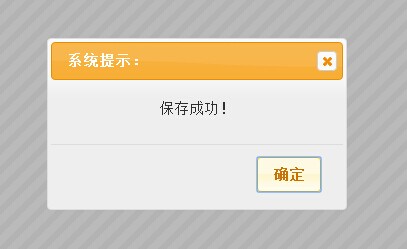
元件的外觀由所引用的 CSS 決定,替換成其他主題樣式即可換風格。原版風格如下:
這個元件仍有可重構之處,例如把初始化邏輯抽成獨立方法,目前因為時程壓力先這樣使用,下次優化時再一併處理。
- 上一篇文章: jQuery 的 $ 命名衝突:五種解法一次收錄
- 下一篇文章: jQuery 插件開發兩大主流寫法入門