jQuery 圖片預載入與等比例自動縮放外掛
編輯:JQuery特效代碼
作者:沒劍(2008-06-23,https://regedit.cnblogs.com)
說明:在圖片載入前先顯示一個載入標誌,等圖片下載完畢後再顯示出來,同時可選擇是否自動等比例縮放。這個外掛讓頁面能先完成載入、圖片後載入,解決了「必須等圖片顯示出來才能縮放,期間 layout 被撐大」的常見問題。
參數設定
scaling:是否等比例自動縮放width:圖片最大寬height:圖片最大高loadpic:載入中動圖的路徑
/*
 **************圖片預載入外掛******************
 */
jQuery.fn.LoadImage = function(scaling, width, height, loadpic){
    if(loadpic == null) loadpic = "load3.gif";

    return this.each(function(){
        var t = $(this);
        var src = $(this).attr("src");
        var img = new Image();
        img.src = src;

        // 自動縮放圖片
        var autoScaling = function(){
            if(scaling){
                if(img.width > 0 && img.height > 0){
                    if(img.width / img.height >= width / height){
                        // 寬度是限制因素
                        if(img.width > width){
                            t.width(width);
                            t.height((img.height * width) / img.width);
                        }else{
                            t.width(img.width);
                            t.height(img.height);
                        }
                    }
                    else{
                        // 高度是限制因素
                        if(img.height > height){
                            t.height(height);
                            t.width((img.width * height) / img.height);
                        }else{
                            t.width(img.width);
                            t.height(img.height);
                        }
                    }
                }
            }
        };

        // 處理 Firefox 會自動讀取快取圖片的情況
        if(img.complete){
            autoScaling();
            return;
        }

        $(this).attr("src", "");   // 先清空 src,避免圖片先閃一下

        var loading = $("<img alt=\"加載中\" title=\"圖片加載中\" src=\"" + loadpic + "\" />");

        t.hide();
        t.after(loading);

        $(img).load(function(){
            autoScaling();
            loading.remove();
            t.attr("src", this.src);
            t.show();
        });
    });
}
使用方式
$("div img").LoadImage(true, 120, 90);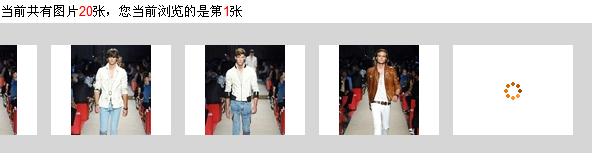
縮放邏輯說明
關鍵在於比較 img.width / img.height 與 width / height 這兩個比例:
- 若圖片較「寬」,寬度會先撞到上限,於是固定寬、按比例縮高度。
- 若圖片較「高」,則固定高、按比例縮寬度。
- 若圖片本身就比限制框小,就保持原始尺寸,不放大——這點很重要,放大模糊的小圖只會讓畫面更糟。
另外 if(img.complete) 的判斷是為了處理 Firefox 已經從快取讀到圖片的情況;若不判斷,load 事件可能永遠不觸發,圖片就會一直卡在「載入中」。