在 MVC 中以 XML 實作 breadcrumbs 導覽路徑
編輯:XML詳解
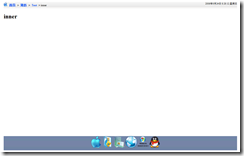
先看成品長什麼樣子:

像這種 breadcrumbs 導覽列,在 MVC 架構下其實可以自己實作,本文用 XML 來完成這個功能。
一、先寫好路由規則
第一步是準備工作。因為要用到路由功能,規則必須寫對,否則後面跑不出來。程式碼如下:
public static void RegisterRoutes(RouteCollection routes)
{
 routes.IgnoreRoute("{resource}.axd/{*pathInfo}");
 routes.MapRoute(
 "inner", // Route name
 "resume/test/inner/{action}/{id}", // URL with parameters
 new { controller = "inner", action = "Index", id = "" } // Parameter defaults
 );
 routes.MapRoute(
 "test", // Route name
 "resume/test/{action}/{id}", // URL with parameters
 new { controller = "test", action = "Index", id = "" } // Parameter defaults
 );
 routes.MapRoute(
 "Default", // Route name
 "{controller}/{action}/{id}", // URL with parameters
 new { controller = "Home", action = "Index", id = "" },
 new { controller = "^(?!(test|inner)).*$", action = "^(?!test).*$" }
 );

}
這裡加了兩條規則:/resume/test 與 /resume/test/inner。
二、建立 XML 設定檔
接著撰寫要用的 XML 檔,注意它是樹狀結構。在 Models 目錄下新增 Navigator.XML:
<?XML version="1.0" encoding="utf-8" ?>
<node Title="首頁" Description="潘峰的網站" Action="Index" Controller="Home">
 <node Title="簡歷" Description="在線簡歷" Action="Index" Controller="Resume">
 <node Title="Test" Description="Test" Action="Index" Controller="test">
 <node Title="inner" Description="inner" Action="Index" Controller="inner">
 </node>
 </node>
 </node>
</node>
三、實作 Navigator 的類別
同樣放在 Models 下,新增 navigatorHelper.cs:
using System;
using System.Collections.Generic;
using System.Linq;
using System.Web;
using System.XML;
using System.XML.Linq;
using System.Web.Routing;
using System.Web.Mvc;
using System.IO;
using System.Text;

namespace conansoft.Helpers
{
 public static class MenuHelper
 {
 private static HttpServerUtilityBase Server = null;
 private static HttpRequestBase Request = null;
 private static UrlHelper Url = null;
 private static RouteValueDictionary RouteDictionary = null;
 public static string Navigator(this HtmlHelper helper)
 {
 Server = helper.VIEwContext.RequestContext.HttpContext.Server;
 Request = helper.VIEwContext.RequestContext.HttpContext.Request;
 Url = new UrlHelper(helper.VIEwContext.RequestContext);
 RouteDictionary = helper.VIEwContext.RequestContext.RouteData.Values;
 string xmlPath = Server.MapPath(Url.Content("~/Models/Navigator.XML"));
 XDocument doc = XDocument.Load(XMLPath);
 XElement node = FindNode(doc.Root);
 StringBuilder sb = new StringBuilder();
 Stack<XElement> s = new Stack<XElement>();
 while (node != null)
 {
 s.Push(node);
 node = node.Parent;
 }
 //輸出breadcrumbs.可以自行修改使之符合你的要求
 while (s.Count() != 0)
 {
 node = s.Pop();
 if (UrlEqual(node))
 {
 sb.AppendLine(string.Format("<li title='{1}'>{0}</li>", node.Attribute("Title").Value, node.Attribute("Description").Value));
 }
 else
 {
 sb.AppendLine(string.Format("<li><a href='{1}' title='{2}'>{0}</a></li>", node.Attribute("Title").Value,
 Url.Action(node.Attribute("Action").Value, node.Attribute("Controller").Value),
 node.Attribute("Description").Value));
 sb.AppendLine("<span style='color:Black;font-weight:bold;'> > </span>");
 }
 }
 return sb.ToString();
 }

 /// <summary>
 /// 查找當前節點
 /// </summary>
 /// <param name="e">當前節點</param>
 /// <returns>找到返回,找不到為空</returns>
 private static XElement FindNode(XElement e)
 {
 XElement result = e;


 if (UrlEqual(e))
 {
 return e;
 }
 else
 {
 if (e.HasElements)
 {
 foreach (XElement ee in e.Elements())
 {
 result = FindNode(ee);
 }
 }
 else
 {
 return null;
 }
 return result;
 }
 }

 /// <summary>
 /// Url是否相等
 /// </summary>
 /// <param name="e">節點</param>
 private static bool UrlEqual(XElement e)
 {
 string url1 = Url.Action(e.Attribute("Action").Value, e.Attribute("Controller").Value).ToLower();
 string url2 = Url.RouteUrl(RouteDictionary).ToLower();
 return url1 == url2;
 }
 }
}
這裡的做法是:用 XML 檔描述層級結構,再用 Action 與 Controller 組出的網址判斷目前所在位置(UrlEqual)。找到節點後沿著 Parent 往上堆疊,最後反向彈出,就得到由根到當前頁的完整路徑。
四、在頁面中使用
在網頁中加上:
<%=Html.Navigator() %>完成後的效果如下:
不同層級頁面的呈現:

- 上一篇文章: Java 與 .NET 的 Web Services 互通實作
- 下一篇文章: XMLHttpRequest 物件的基礎方法入門