XAML 實例演示之五:Canvas 與 ViewBox 打造可縮放的微笑頭像
編輯:XML詳解
從一個微笑頭像開始
在 WPF 中,Canvas 提供以座標為基礎的絕對定位,適合安排位置固定的圖形;ViewBox 則能把內部內容視為一個可縮放的整體。兩者搭配時,即使視窗大小改變,圖形仍能保持比例。
範例程式碼
<Window
    xmlns="https://schemas.microsoft.com/winfx/2006/xaml/presentation"
    xmlns:x="https://schemas.microsoft.com/winfx/2006/xaml"
    Title="Welcome to EntLib.com - Little Green Man">
    <Viewbox>
        <Canvas Width="180" Height="180" VerticalAlignment="Center">
            <Ellipse Canvas.Left="10" Canvas.Top="10" Width="160" Height="160"
                     Fill="LimeGreen" Stroke="Black" />
            <Ellipse Canvas.Left="45" Canvas.Top="50" Width="25" Height="25"
                     Fill="White" Stroke="Black" />
            <Ellipse Canvas.Left="52" Canvas.Top="55" Width="10" Height="10"
                     Fill="Black" Stroke="Black" />
            <Ellipse Canvas.Left="77.5" Canvas.Top="50" Width="25" Height="25"
                     Fill="Yellow" Stroke="Black" />
            <Ellipse Canvas.Left="110" Canvas.Top="50" Width="25" Height="25"
                     Fill="White" Stroke="Black" />
            <Ellipse Canvas.Left="117" Canvas.Top="55" Width="10" Height="10"
                     Fill="Black" Stroke="Black" />
            <Path Data="M 50,100 A 30,30 0 0 0 130,100" Stroke="Red" />
        </Canvas>
    </Viewbox>
</Window>
在 Kaxaml 中執行後,可以看到一個由多個橢圓與路徑組成的笑臉。
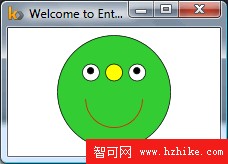
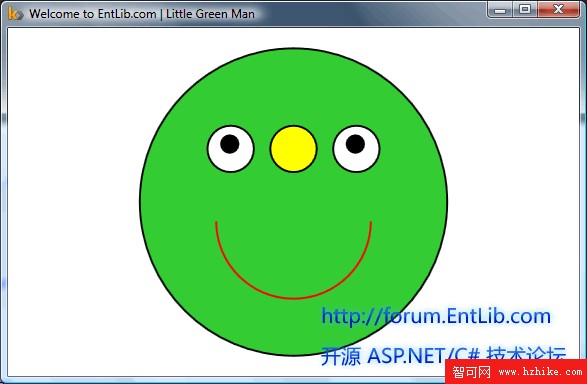
當你拖曳視窗邊框時,因為最外層包著 ViewBox,整個微笑頭像會自動放大或縮小,而不會破壞相對位置。
Canvas 與 ViewBox 的差異
Canvas 讓子元素透過 Canvas.Left 與 Canvas.Top 指定左上角座標,適合固定版面;ViewBox 則會依可用空間縮放子內容,常用於需要自適應的圖形或向量圖。
Shape 的共同外觀屬性
Ellipse、Line、Path、Polygon、Polyline、Rectangle 等 Shape 物件共享多項繪圖屬性,最常用的是:
- Stroke:決定外框線條,例如填色或畫筆。
- StrokeThickness:決定外框粗細。
- Fill:決定圖形內部填色。