在微信公眾號開發中,用 wx.getLocation 拿到經緯度只是第一步。微信返回的是 GPS(wgs84)或國測局(gcj02)坐標,直接丟給百度地圖會發現位置飄到別處去了。本文記錄完整的處理流程:授權配置 → 取得定位 → 坐標轉換 → 逆地址解析 → 在地圖上渲染。

上圖中紅色標記是從微信轉換後的位置,藍色標記是周邊 POI。
一、微信 JS-SDK 接入步驟
官方文件:https://mp.weixin.qq.com/wiki。要取得地理位置,需要完成三件事。
1. 綁定 JS 接口安全域名
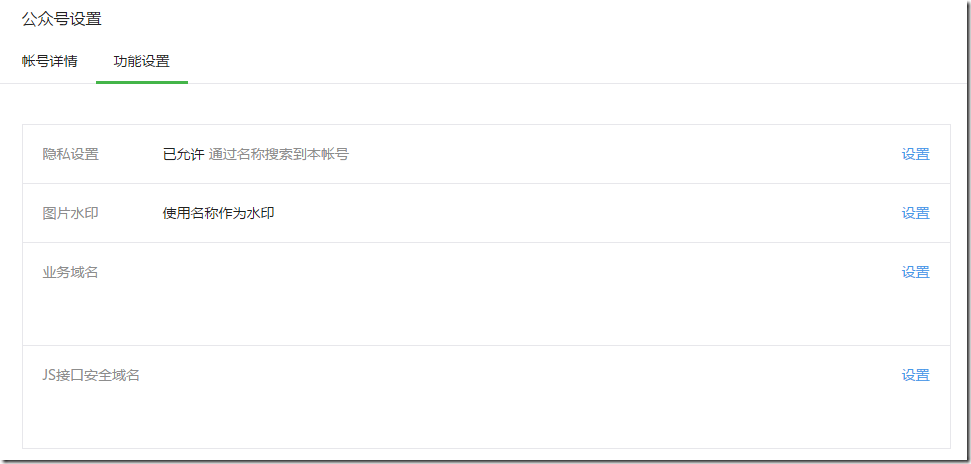
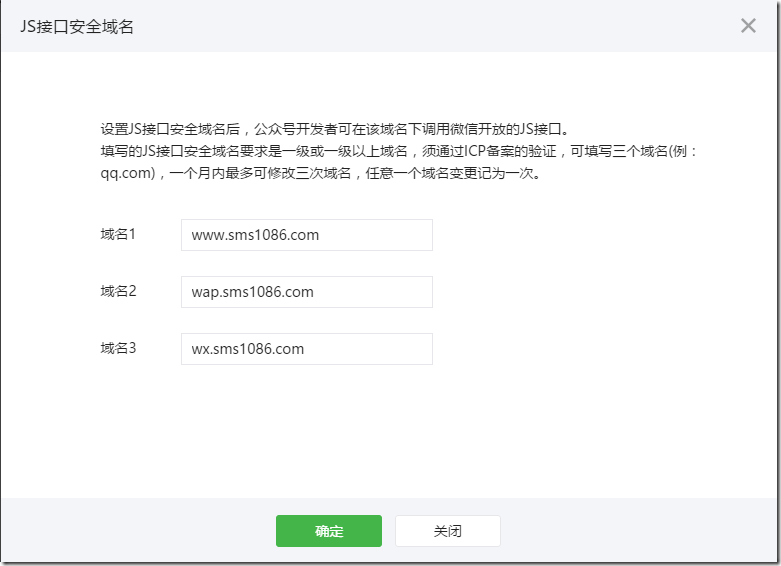
登入公眾號後台,進入「公眾號設置 → 功能設置」,點擊「設置」按鈕填入需要調用 JS 接口的域名。
2. 引入官方 JS 檔案並注入權限驗證配置
在頁面中引入 https://res.wx.qq.com/open/js/jweixin-1.0.0.js,然後調用 wx.config 注入 appId、timestamp、nonceStr、signature 等參數。所有需要使用 JS-SDK 的頁面都必須先注入配置,否則接口一律調用失敗。
 <script src="https://res.wx.qq.com/open/js/jweixin-1.0.0.js"></script>
<script type="text/javascript">
wx.config({
  debug: false,          // 設為 true 會彈出每一步調用情況,排查問題時很有用
  appId: '<%= ResultJsData.GetValue("appid") %>',
  timestamp: <%= ResultJsData.GetValue("timestamp") %>,
  nonceStr: '<%= ResultJsData.GetValue("noncestr") %>',
  signature: '<%= ResultJsData.GetValue("signature") %>',
  jsApiList: ['checkJsApi', 'getLocation', 'openLocation', 'chooseImage', 'previewImage']
});
wx.ready(function () {
  wx.getLocation({
    type: 'wgs84',   // 若要直接給 openLocation 用的火星坐標,可傳 'gcj02'
    success: function (res) {
      var latitude = res.latitude;   // 緯度,-90 ~ 90
      var longitude = res.longitude; // 經度,-180 ~ 180
      var speed = res.speed;         // 速度,公尺/秒
      var accuracy = res.accuracy;   // 位置精度
      window.location.href = "location1.aspx?latitude=" + latitude
        + "&longitude=" + longitude + "&speed=" + speed + "&accuracy=" + accuracy;
    },
    cancel: function (res) {
      window.location.href = "none.aspx?msg=" + encodeURIComponent("已拒絕獲取地理位置");
    },
    fail: function () {
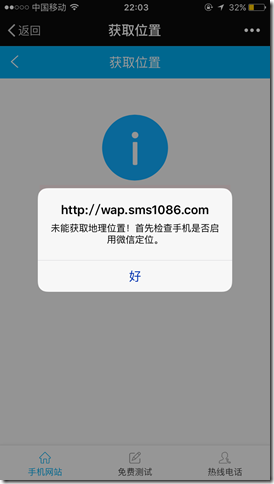
      alert("未能獲取地理位置,請先確認手機是否已啟用微信定位。");
    }
  });
});
wx.error(function (res) {
  // config 驗證失敗會走這裡,例如簽名過期,可用 debug 模式查看詳細原因
});
</script>
幾個實務上常踩的坑:
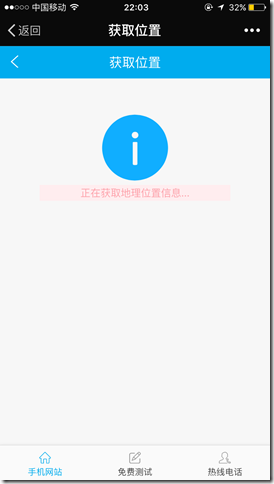
(1)使用者在系統設定中禁止微信讀取位置時,只會看到提示畫面;
(2)這裡取到的是 GPS 坐標,用在百度地圖上必須先做轉換;
(3)签名計算使用的 url 必須是「微信授權回跳時的完整網址」,包含 query string,少一個參數就會簽名失敗。
後端需要準備三個環節:用 code 換 access_token 與使用者資訊、判斷該使用者是否已綁定帳號、最後生成 JS-SDK 所需的簽名參數:
 protected void Page_Load(object sender, EventArgs e) {
   var webAuthorize = new WebAuthorizeAction();
   Code2TokenResult = webAuthorize.Code2Token(Request["code"]);
   if (Code2TokenResult.HasError()) { Response.Redirect(Urls.PageOfLocation); return; }
   GetUserInfoResult = webAuthorize.GetUserInfo(Code2TokenResult.access_token);
   var userid = wxOperation.HasBind(GetUserInfoResult.openid);
   if (userid.Equals(Guid.Empty)) { Response.Redirect(Urls.Oauth2Url); return; }
   var jsApi = new JsApi(this);
   ResultJsData = jsApi.GetJsData();          // appid/timestamp/noncestr/signature
   WxJsApiParam = jsApi.GetJsApiParameters(); // 序列化成前端可用的參數
 }
二、坐標轉換與地圖渲染
取得微信坐標後跳轉到 location1.aspx,整體流程是:
微信坐標 → 轉換為百度坐標 → 逆地址解析取得結構化地址 → 渲染地圖與周邊 POI
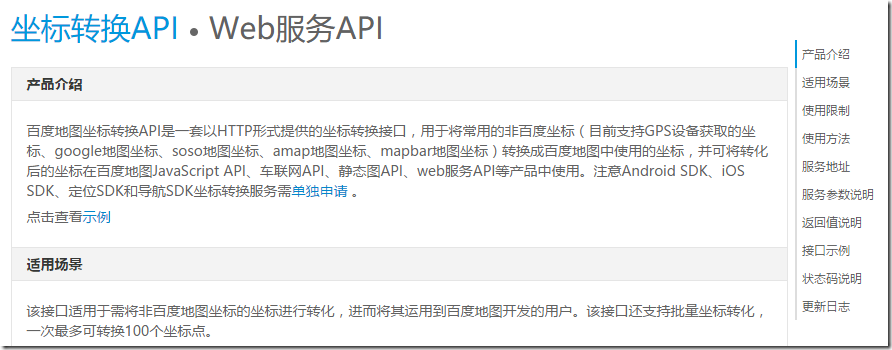
這裡會用到百度地圖開放平台的兩個服務,使用前必須先申請 ak(開發者 key),否則會報「APP 不存在,AK 有誤」。
(1)坐標轉換 API
文件:https://lbsyun.baidu.com/,服務位址:https://api.map.baidu.com/geoconv/v1/。from=1 代表 GPS 坐標,to=5 代表百度坐標(bd09ll)。
(2)逆地理編碼 API

Geocoding 服務包含兩個方向:地理編碼是把結構化地址換成經緯度,例如「北京市海澱區中關村南大街27號」解析為 lng:116.31985, lat:39.959836,也支援直接傳入地標名稱;逆地理編碼則相反,由經緯度換回結構化地址。服務位址為 https://api.map.baidu.com/geocoder/v2/。
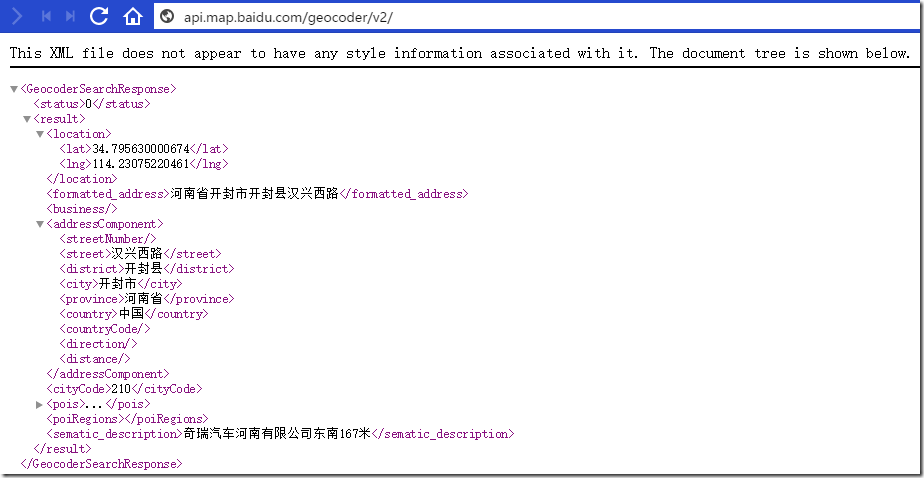
前端實作上,因為要避開跨域限制,通常用動態插入 script 標籤的方式做 JSONP 調用:
 <script type="text/javascript" src="https://api.map.baidu.com/api?v=2.0&ak=你的AK"></script>
<script type="text/javascript">
var yy = <%= this.Request["longitude"] %>;  // 微信給的經度
var xx = <%= this.Request["latitude"] %>;   // 微信給的緯度
var bxx = 0.0, byy = 0.0;                   // 轉換後的百度坐標

function changePosition() {
  var url = "https://api.map.baidu.com/geoconv/v1/?coords=" + yy + "," + xx + "&from=1&to=5";
  var script = document.createElement('script');
  script.src = url + '&ak=你的AK&callback=dealResult';
  document.getElementsByTagName("head")[0].appendChild(script);
}

function dealResult(msg) {
  if (msg.status != 0) { alert("坐標轉換失敗"); return; }
  bxx = msg.result[0].x;
  byy = msg.result[0].y;
  doOptions();   // 拿到百度坐標後再去查地址與周邊
}

function doOptions() {
  var script = document.createElement('script');
  script.src = "https://api.map.baidu.com/geocoder/v2/?ak=你的AK&callback=renderOption&location="
    + byy + "," + bxx + "&output=json&pois=2";
  document.body.appendChild(script);
}

function renderOption(response) {
  if (response.status) { alert("沒有正確的返回結果"); return; }
  var result = response.result;
  var location = result.location;
  var map = new BMap.Map("allmap");
  var point = new BMap.Point(bxx, byy);
  var marker = new BMap.Marker(point);
  map.addOverlay(marker);
  map.centerAndZoom(point, 15);

  var opts = { width: 200, height: 100, title: "我的位置", enableMessage: true };
  var infoWindow = new BMap.InfoWindow(result.formatted_address, opts);
  marker.addEventListener("click", function () { map.openInfoWindow(infoWindow, point); });
  $("#divPo").html("當前位置:" + result.formatted_address);

  // 渲染周邊 POI
  var pois = result.pois;
  for (var i = 0; i < pois.length; i++) {
    var m = new BMap.Marker(new BMap.Point(pois[i].point.x, pois[i].point.y));
    map.addOverlay(m);
  }
  $("#mask").hide();
  $("#btnSign").show();
}
$(function () { $("#mask").show(); changePosition(); });
</script>
三、簽名核心邏輯
JS-SDK 的簽名演算法是:把 jsapi_ticket、noncestr、timestamp、url 四個欄位組成形如 key=value 的字串,按字典序排序後用 & 串接,再做 SHA1 並轉小寫。
 private string MakeSignature(string jsapiTicket, string noncestr, string timestamp, string url) {
   string[] arrayList = {
     "jsapi_ticket=" + jsapiTicket,
     "timestamp=" + timestamp,
     "noncestr=" + noncestr,
     "url=" + url
   };
   Array.Sort(arrayList);
   var signature = string.Join("&", arrayList);
   return FormsAuthentication.HashPasswordForStoringInConfigFile(signature, "SHA1").ToLower();
 }

 private string GetUrl() {
   // 參與簽名的必須是微信授權回跳時的完整 url(含 query)
   return "https://" + page.Request.Url.Host + page.Request.Path + page.Request.Url.Query;
 }
其中 access_token 與 jsapi_ticket 都有 7200 秒有效期,實務上一定要做快取並判斷是否過期,不要每次請求都重新向微信索取,否則很容易觸發接口頻次限制。
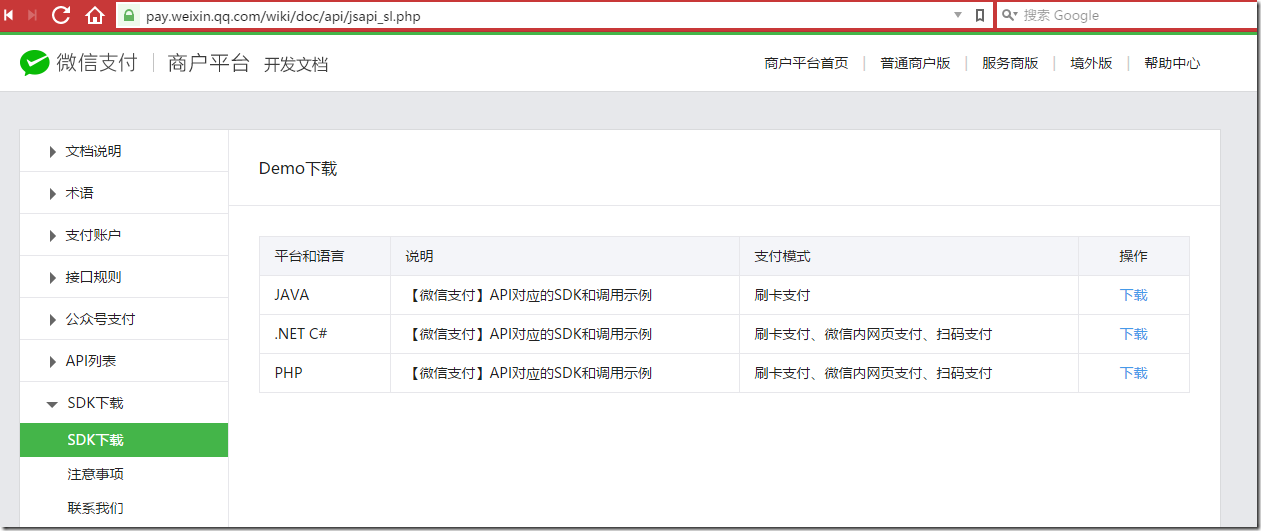
相關解析思路也可參考微信支付官方 SDK 的實作方式,兩者在簽名與憑證管理上的做法幾乎一致。
需要特別留意的幾點:申請百度開發者 key、理解微信坐標與百度坐標的系統差異、熟悉各接口參數含義、正確處理 JSONP 回調函數。把這些環節打通,定位簽到一類的功能就完成了。
- 上一篇文章: 用正則表達式在 JS 中校驗網址是否合法
- 下一篇文章: Bootstrap 水平表單的實作方式
相關文章
-
wx.onMenuShareTimeline分享不生效?config與ready的正確順序 用 JavaScript 結合百度地圖 API 與 HTML5 獲取瀏覽器位置 HTML5 定位並在百度地圖上標出目前位置 HTML5 定位搭配百度地圖:取得當前位置並在地圖上標記 微信 JS-SDK 完整指南:權限配置、介面清單與簽名演算法 在 Boxy 彈窗中嵌入百度地圖座標拾取的流程要點 WeixinJSBridge API 大盤點:預覽、支付、定位、表情與地址 微信 JS-SDK 實作:叫起相機、預覽與圖片上下傳 用百度地圖 API 取得公車路線沿途站點座標的實作 百度地圖 API 應用:標註地理位置資訊(JS 版)