用 Cookie 讓提示層只出現一次:改善使用者體驗的小技巧
編輯:關於JavaScript
有些公告或提示,看過一次就不必再打擾使用者。做法是:第一次造訪時顯示提示層,使用者關掉後寫入 cookie,之後再進站就直接隱藏。這麼做能明顯降低反感,是很划算的小改動。
執行效果
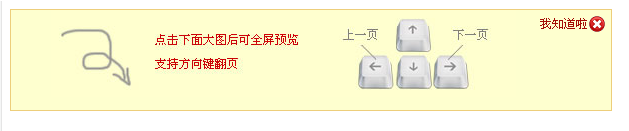
線上展示:
https://demo.jb51.net/js/2015/js-cookie-div-dlg-show-once-codes/
實作邏輯
三個函數就足夠:
- cookiesave:寫入 cookie,可指定存活分鐘數、網域與路徑。
- cookieget:以分號切開 document.cookie,逐段比對名稱取出值。
- closeclick/clickclose:前者在使用者按下關閉時隱藏提示並寫入 cookie;後者在 onload 時判斷 cookie 是否存在,決定要不要顯示。
完整程式碼
 <!DOCTYPE html PUBLIC "-//W3C//DTD XHTML 1.0 Transitional//EN" "https://www.w3.org/TR/xhtml1/DTD/xhtml1-transitional.dtd">
<html xmlns="https://www.w3.org/1999/xhtml">
<head>
<meta http-equiv="Content-Type" content="text/html; charset=gb2312" />
<title>cookie,只顯示一次的DIV提示框</title>
<style>
 .note{height:100px;width:600px;background:url(images/tishi.jpg) #FEFFCF 40px 0px no-repeat;border:#EDCE7B 1px solid;}
 .guanbi{float:right;font-size:12px;padding:6px;}
</style>
<script>
 function cookiesave(n, v, mins, dn, path) {
  if(n) {
   if(!mins) mins = 365 * 24 * 60;
   if(!path) path = "/";
   var date = new Date();
   date.setTime(date.getTime() + (mins * 60 * 1000));
   var expires = "; expires=" + date.toGMTString();
   if(dn) dn = "domain=" + dn + "; ";
   document.cookie = n + "=" + v + expires + "; " + dn + "path=" + path;
  }
 }

 function cookieget(n) {
  var name = n + "=";
  var ca = document.cookie.split(';');
  for(var i=0; i<ca.length; i++) {
   var c = ca[i];
   while (c.charAt(0) == ' ') c = c.substring(1, c.length);
   if (c.indexOf(name) == 0) return c.substring(name.length, c.length);
  }
  return "";
 }

 function closeclick(){
  document.getElementById('note').style.display = 'none';
  cookiesave('closeclick', 'closeclick', '', '', '');
 }

 function clickclose(){
  if(cookieget('closeclick') == 'closeclick'){
   document.getElementById('note').style.display = 'none';
  }else{
   document.getElementById('note').style.display = 'block';
  }
 }

 window.onload = clickclose;
</script>
</head>
<body>
<div id="note" class="note" style="display:none;">
 <div><a href="#" onclick="closeclick()" class="guanbi"><img src="images/close-note.gif" border="0" /></a></div>
</div>
</body>
</html>
兩個可以更好的細節
示範中 cookiesave 的 dn 參數傳入空字串時,會產生「domain=; 」這樣的殘缺片段,實務上應改成條件判斷後再組字串。
另外,cookie 存在使用者端,使用者可以自行清除,因此「只顯示一次」只能當作體驗優化,不能當作業務邏輯的依據。若希望在 localStorage 中實作,概念完全相同,把讀寫方法換掉即可。