手把手做出卡通小手游標跟隨特效(含點擊換圖)
編輯:關於JavaScript
這個效果會讓一隻可愛的小手緊跟著游標移動,滑到哪裡就跟到哪裡;一旦移到連結或按鈕上按下,小手還會換成另一張圖,兩隻手交替出現,趣味十足。
運行效果預覽:
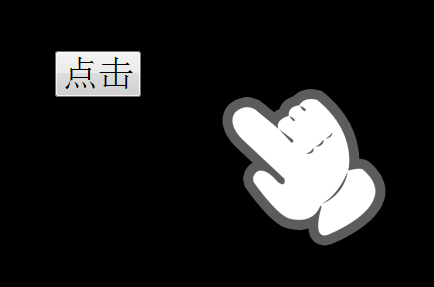
線上展示:https://demo.jb51.net/js/2015/js-handle-style-focus-codes/
完整程式碼
<!DOCTYPE html PUBLIC "-//W3C//DTD XHTML 1.0 Transitional//EN" "https://www.w3.org/TR/xhtml1/DTD/xhtml1-transitional.dtd"> <html xmlns="https://www.w3.org/1999/xhtml"> <head> <meta http-equiv="Content-Type" content="text/html; charset=utf-8" /> <title>可愛的鼠標跟隨</title> <style> html{ background:#000;} body,html,input{ cursor:none;} body,html{ height:100%;} #cursor{ position:absolute; left:100px; top:100px; display:block;} </style> <script> window.onload = function(){ var oCursor = document.getElementById("cursor"); document.onmousemove=function (ev){ var oEvent=ev||event, oWidth = document.documentElement.clientWidth, oHeight = document.documentElement.clientHeight, scrollTop=document.documentElement.scrollTop + oEvent.clientY, scrollLeft=document.documentElement.scrollLeft + oEvent.clientX; if(scrollTop > oHeight-oCursor.offsetHeight){ oCursor.style.top = oHeight-oCursor.offsetHeight+'px'; }else if(scrollTop < 0){ oCursor.style.top = 0; }else{ oCursor.style.top = scrollTop+'px'; } if(scrollLeft > oWidth-oCursor.offsetWidth){ oCursor.style.left = oWidth-oCursor.offsetWidth+'px'; }else{ oCursor.style.left = scrollLeft+'px'; } document.onmousedown = function(){ oCursor.innerHTML = "<img src='images/cursor_hover.png' />"; return false; } document.onmouseup = function(){ oCursor.innerHTML = "<img src='images/cursor.png' />"; } }; } </script> </head> <body> <div id="cursor"><img src="images/cursor.png" /></div> <input type="button" style="font-size:36px; margin:100px;" value="點擊" onclick="window.open('https://www.baidu.com')" /> </body> </html>
三個關鍵步驟
第一步,藏起原生游標。CSS 裡對 body, html, input 設 cursor: none,系統箭頭消失後,才不會出現「兩支游標並行」的尷尬畫面。
第二步,讓圖片跟著跑。在 document.onmousemove 中把 clientX/Y 加上目前的捲動量,得到頁面座標,再寫進 #cursor 的 top 與 left。程式另外做了邊界判斷:靠近視窗右緣或下緣時,會把圖片位置拉回可視範圍內,避免小手被裁掉一半。
第三步,按下時換圖。在 mousemove 內掛上 onmousedown 與 onmouseup,分別把 innerHTML 換成 cursor_hover.png 與 cursor.png,就得到了「按下去握拳、放開攤平」的错觉效果。
改寫時可以注意的地方
把 mousedown/mouseup 綁在 document 上,每次滑動都會重新指派一次, although 功能正常卻顯得多餘,實際上移到 onload 內綁一次即可。另外,隱藏系統游標會讓部分使用者一時失去方向感,若要在正式站點採用,建議保留足夠的視覺回饋,並在觸控裝置上關閉這段效果。
- 上一篇文章: 純 JS 打造自訂滾動條:拖曳、滾輪與點擊定位一次搞定
- 下一篇文章: 原生 JS 雙滑塊區間拖動元件實作(相容 IE 與主流瀏覽器)