react-native ListView下拉刷新上拉加載實現代碼
編輯:JavaScript技巧
本文介紹了react-native ListView下拉刷新上拉加載實現。分享給大家,具體如下:
先看效果圖
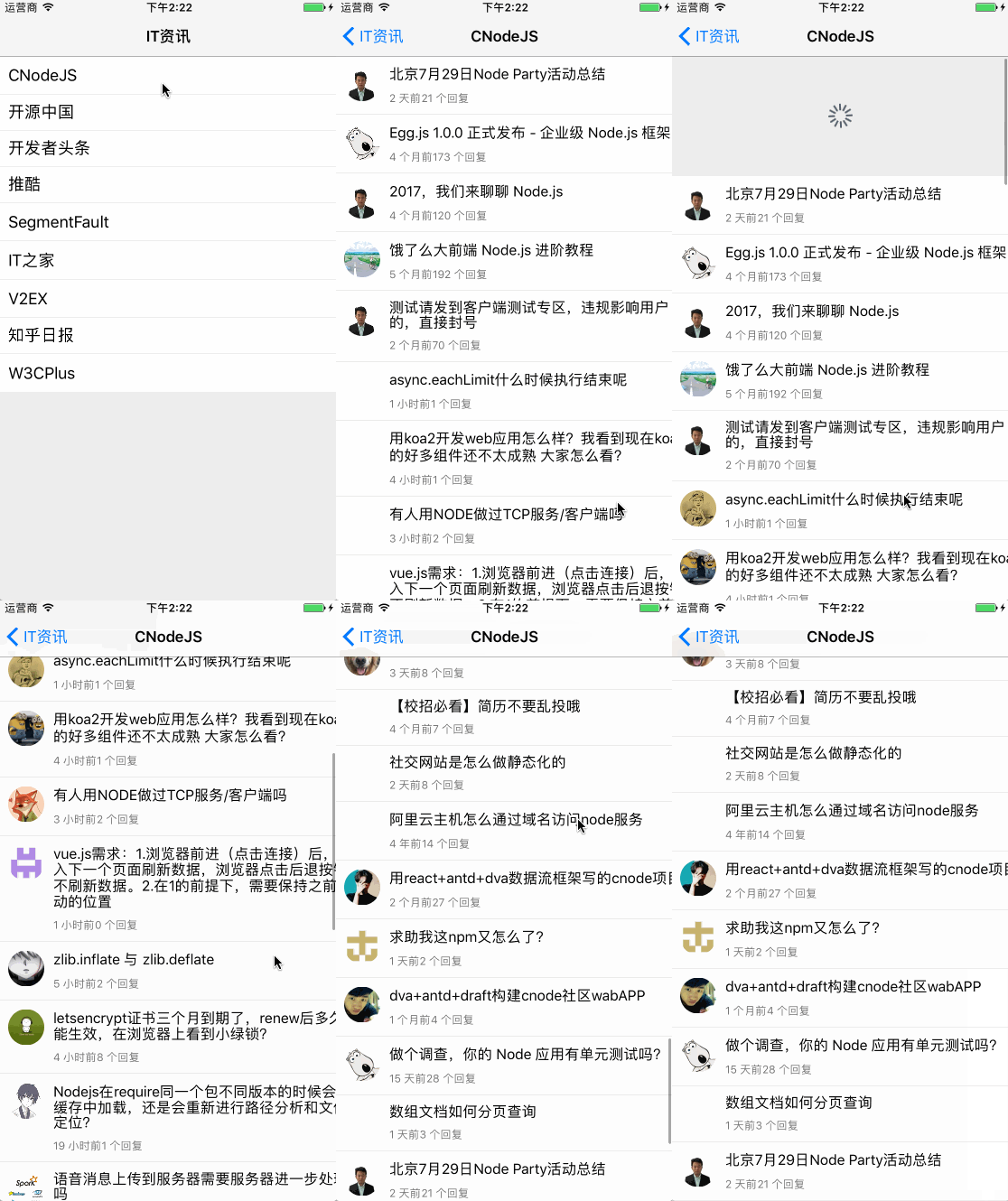
下拉刷新
React Native提供了一個組件可以實現下拉刷新方法RefreshControl
使用方法
<ListView
 refreshControl={
 <RefreshControl
 refreshing={this.state.refreshing}
 onRefresh={this._onRefresh.bind(this)}
 />
 }
 //...
</ListView>
在視圖加載的時候的時候,將refreshing設置為true,數據加載完成設置為false即可
上拉加載
利用ListView裡的onEndReached方法實現,ListView在滾動到最後一個Cell的時候,會觸發onEndReached方法
先在ListView裡添加一個Footer
render() {
 const FooterView = this.state.loadMore ?
 <View style={styles.footer}>
 <Text style=>加載更多...</Text>
 </View> : null;
 return <ListView
 refreshControl={
 <RefreshControl
  refreshing={this.state.refreshing}
  onRefresh={this._onRefresh.bind(this)}
 />
 }
 style={[styles.listView]}
 dataSource={ds.cloneWithRows(this.state.dataSource)}
 enableEmptySections={true}
 renderRow={this._renderRow.bind(this)}
 onEndReachedThreshold={5}
 onEndReached={this._onEndReached.bind(this)}
 renderFooter={() => FooterView}
 />
 }
在方法_onEndReached裡將Footer顯示出來,在數據加載完成之後,再隱藏掉Footer
_onEndReached() {
 this.setState({
 loadMore: true,
 pageNo: this.state.pageNo + 1
 });
 this._fetchData();
 }
說明
ListView裡還設置了一個參數onEndReachedThreshold這個參數與onEndReached配合使用,它的意思是:像素的臨界值,該屬性和onEndReached配合使用,因為onEndReached滑動結束的標志是以該值作為判斷條件的
以上就是本文的全部內容,希望對大家的學習有所幫助,也希望大家多多支持。
小編推薦
熱門推薦