徹底搞懂 jQuery each():this 指向、索引參數與提前跳出
編輯:JQuery特效代碼
each 是 jQuery 裡最常用的遍歷工具,但初學時常把 this 與 $(this) 混用而踩坑。本文從官方說明出發,配上可運行的例子逐一釐清。
官方定義
each(callback)
以每一個匹配的元素作為上下文來執行一個函數。也就是說,每次執行傳入的函數時,函數中的 this 都指向一個不同的 DOM 元素(每次都是一個不同的匹配元素)。同時,每次執行都會傳入一個表示該元素在匹配集合中位置的數字(從 0 開始)。
回傳 false 將停止整個迴圈(等同普通迴圈的 break);回傳 true 則跳至下一輪(等同 continue)。
基礎示例:迭代圖片並設定 src
<img/><img/>

$("img").each(function (i) {
    this.src = "test" + i + ".jpg";
});
結果:
[ <img src="test0.jpg" />, <img src="test1.jpg" /> ]
注意:此處的 this 是 DOM 物件而非 jQuery 物件,所以不能直接寫 this.addClass(...),必須先包成 $(this)。但像 this.src 這種原生屬性,直接用 this 反而更簡潔。
提前跳出迴圈
<button>Change colors</button>
<span></span>
<div></div>
<div></div>
<div id="stop">Stop here</div>
<div></div>
$("button").click(function () {
    $("div").each(function (index, domEle) {
        $(domEle).css("backgroundColor", "wheat");
        if ($(this).is("#stop")) {
            $("span").text("在div塊為#" + index + "的地方停止。");
            return false;   // 中斷整個迴圈
        }
    });
});
也可以省略第二個參數,直接用 this:
$("button").click(function () {
    $("div").each(function (index) {
        $(this).css("backgroundColor", "wheat");
        if ($(this).is("#stop")) {
            $("span").text("在div塊為#" + index + "的地方停止。");
            return false;
        }
    });
});
執行結果如下圖,迴圈在 #stop 處停下:
補充:each 與 $.each 的分別
兩者用途不同,容易混淆:
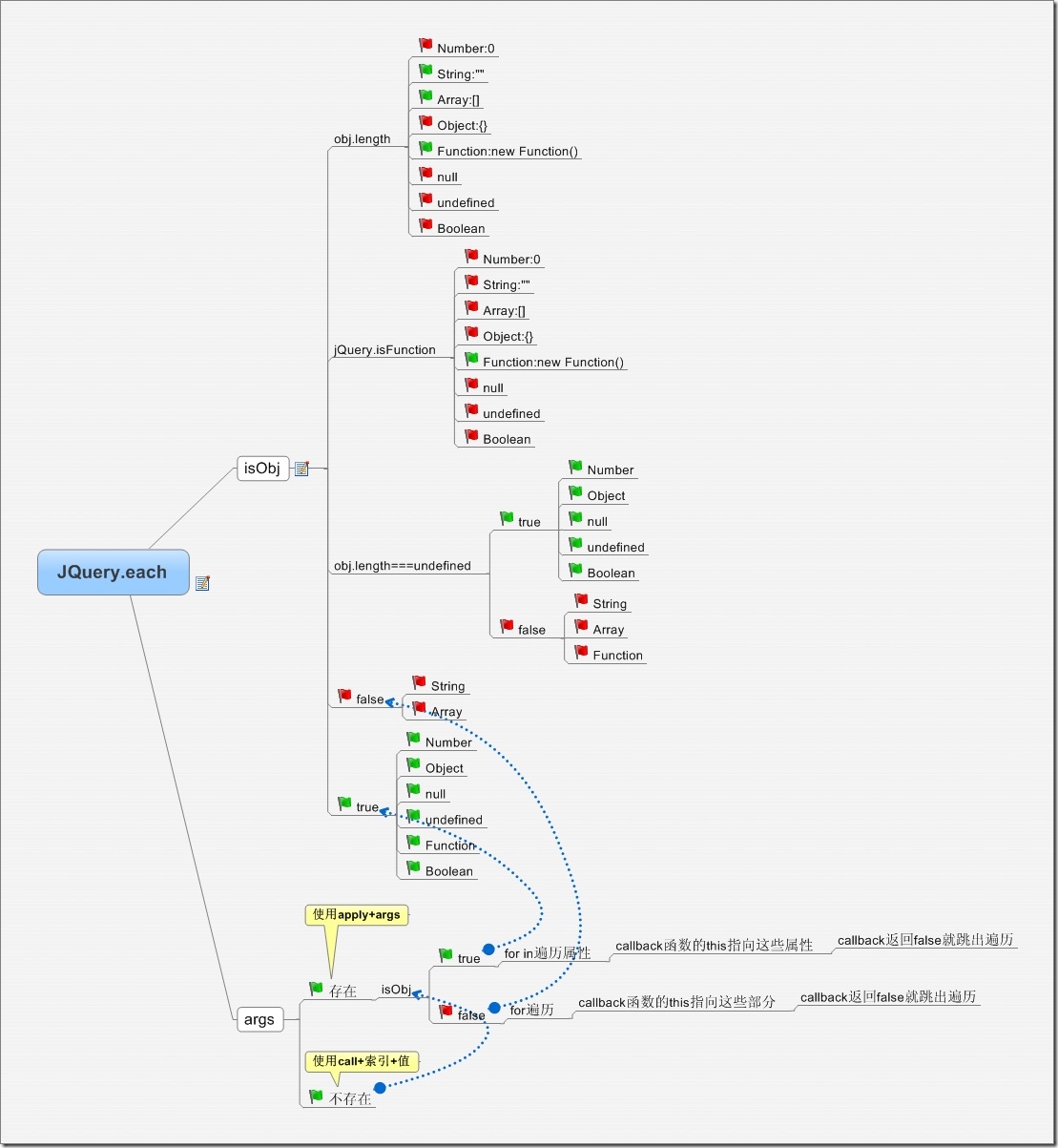
$("selector").each(fn):jQuery 物件的方法,遍歷 DOM 集合,this指向 DOM 元素。$.each(collection, fn):jQuery 的靜態工具方法,可遍歷陣列或純物件,回呼簽名為function(index, value),且this指向被遍歷的值。
另外,若要進行「map 式」轉換並生成新集合,.map() 比 each 更合適;若只是純陣列的 map/filter,直接用原生 Array.prototype.map 與 filter 效能更好。