用 Canvas 開始基礎繪圖
Canvas 是 HTML5 中非常強大的繪圖工具。透過 JavaScript,開發者可以在網頁上畫出直線、矩形、圓形、曲線與漸層,甚至進一步製作動畫與互動圖形。以下用八個基礎範例,整理 Canvas 繪圖時最常見的 API 與概念。
1. 繪製直線
直線是 Canvas 繪圖的起點。常用方法包括 moveTo、lineTo 與 stroke。moveTo 用來設定路徑起點,lineTo 用來連接終點,stroke 則負責把路徑實際描邊出來。
ctx.beginPath();
ctx.strokeStyle = "red";
ctx.moveTo(20, 30);
ctx.lineTo(120, 90);
ctx.lineTo(220, 60);
ctx.lineWidth = 3;
ctx.stroke();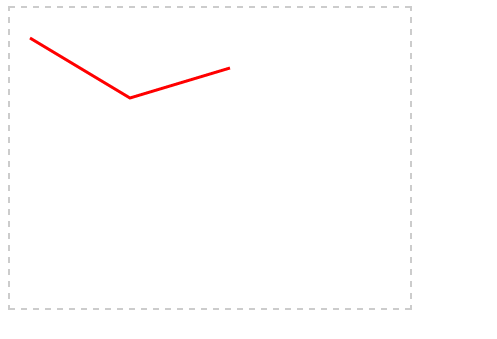
2. 繪製漸變線條
線條不一定只能是單色。透過 createLinearGradient 建立線性漸層,再用 addColorStop 設定顏色停止點,就能讓線條呈現顏色過渡效果。
var gradient = ctx.createLinearGradient(0, 0, 400, 300);
gradient.addColorStop(0, "red");
gradient.addColorStop(1, "yellow");

ctx.beginPath();
ctx.moveTo(0, 0);
ctx.lineTo(400, 300);
ctx.strokeStyle = gradient;
ctx.lineWidth = 3;
ctx.stroke();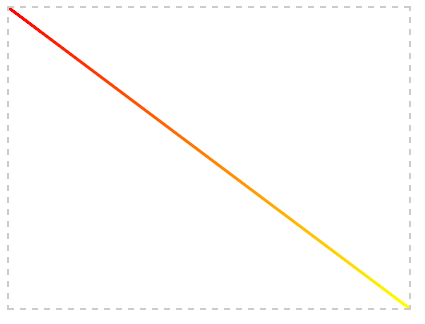
3. 填滿矩形
矩形是 Canvas 中最基礎的幾何圖形之一。fillRect 方法可以用來填滿一個矩形區域,fillStyle 則用來設定填滿顏色。
ctx.fillStyle = "yellow";
ctx.fillRect(30, 30, 340, 240);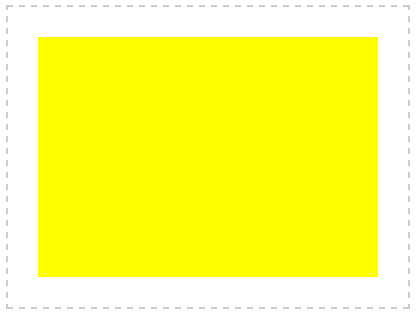
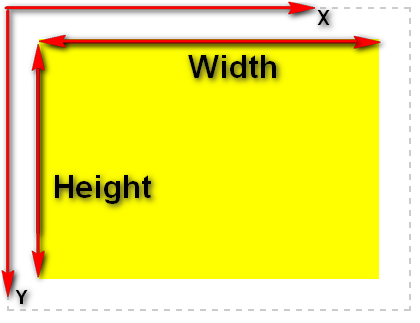
fillRect 的四個參數分別是 x、y、width、height。這裡的 x 與 y 是相對於 Canvas 左上角的起始座標,並不是一般數學座標中的原點概念。
4. 繪製矩形框
如果只需要畫出矩形輪廓,而不需要填滿內部,可以使用 strokeRect。它的參數概念與 fillRect 相同,只是結果是描邊而非填色。
ctx.strokeStyle = "red";
ctx.strokeRect(30, 30, 340, 240);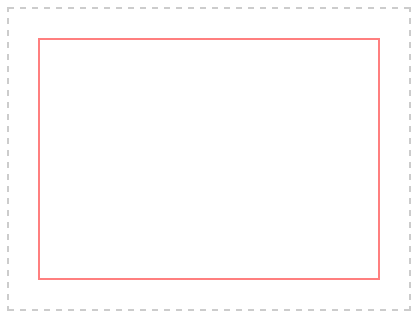
5. 線性漸變矩形
將 fillStyle 設定為漸層物件,再搭配 fillRect,就能畫出具有漸層效果的矩形。這個技巧很常用於背景、卡片、按鈕與視覺裝飾。
var gradient = ctx.createLinearGradient(10, 0, 390, 0);
gradient.addColorStop(0, "red");
gradient.addColorStop(0.5, "green");
gradient.addColorStop(1, "blue");

ctx.fillStyle = gradient;
ctx.fillRect(10, 10, 380, 280);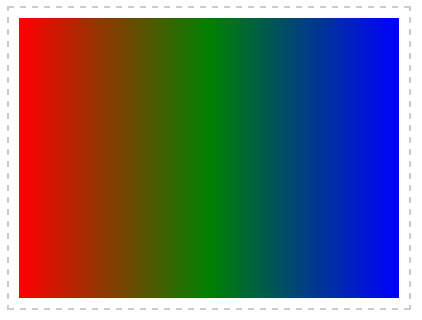
6. 填滿圓形
圓形可以透過 beginPath、arc、closePath 與 fill 等步驟完成。arc 方法常用來建立圓弧或完整圓形,其參數包含圓心座標、半徑、起始角、結束角與是否逆時針。
ctx.beginPath();
ctx.arc(200, 150, 100, 0, Math.PI * 2, true);
ctx.closePath();
ctx.fillStyle = "green";
ctx.fill();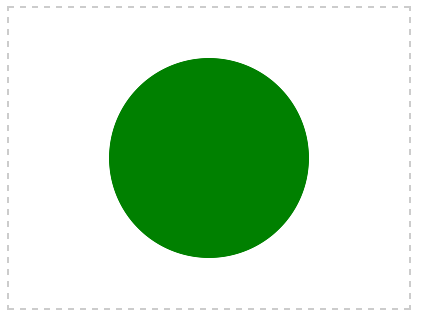
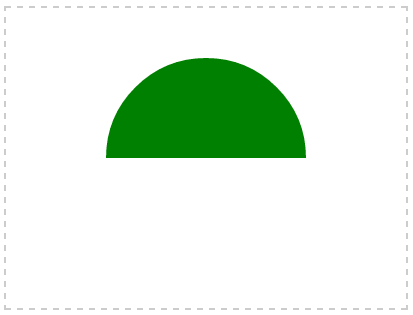
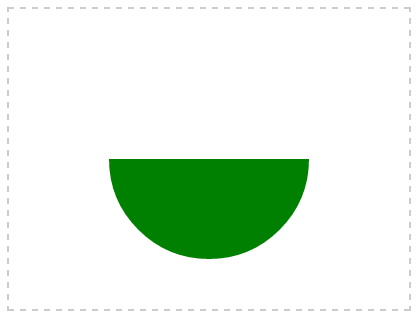
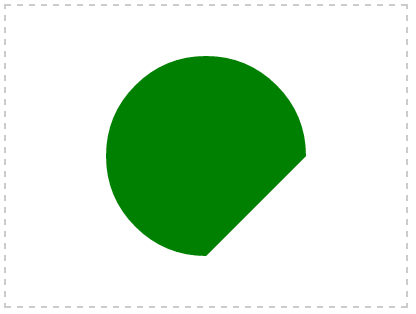
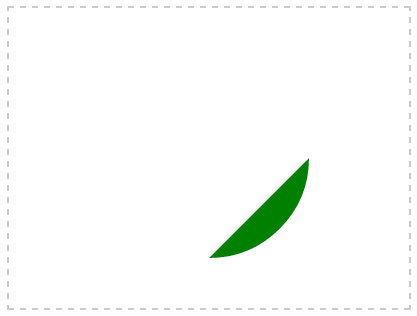
arc 的基本形式為:arc(x, y, radius, startAngle, endAngle, anticlockwise)。其中角度通常以弧度表示,Math.PI 代表 180 度,Math.PI * 2 則代表完整一圈。
arc 參數比較
透過不同角度與順時針設定,可以畫出半圓、四分之一圓或其他弧線。以下幾個範例可幫助理解參數變化:
7. 圓形線框
如果不想填滿圓形,只想畫出圓框,可以使用 stroke 取代 fill。lineWidth 則可以控制線條粗細。
ctx.beginPath();
ctx.arc(200, 150, 100, 0, Math.PI * 2, false);
ctx.closePath();
ctx.lineWidth = 5;
ctx.strokeStyle = "red";
ctx.stroke();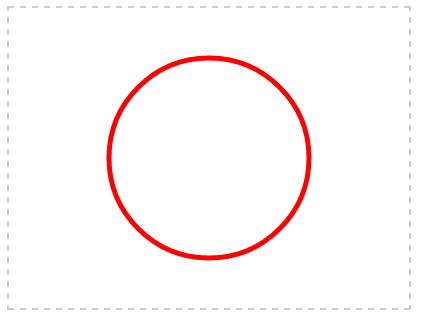
8. 圓形漸變
放射狀漸層可以讓圖形更有層次感。createRadialGradient 方法需要兩個圓的資訊:一個是漸層開始的圓,一個是漸層結束的圓。透過不同圓心與半徑的組合,可以做出多種視覺效果。
var gradient = ctx.createRadialGradient(200, 300, 50, 200, 200, 200);
gradient.addColorStop(1, "red");
gradient.addColorStop(0, "green");

ctx.fillStyle = gradient;
ctx.fillRect(0, 0, 800, 600);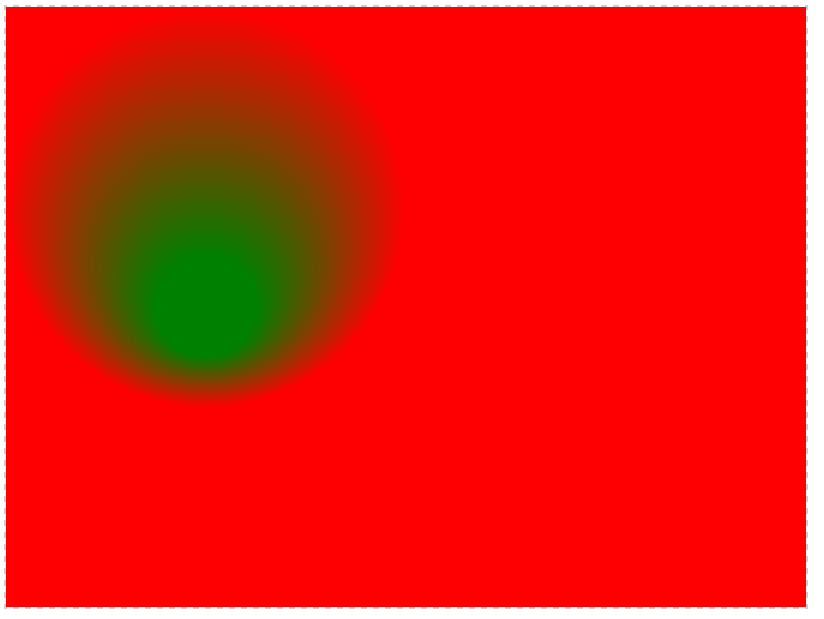
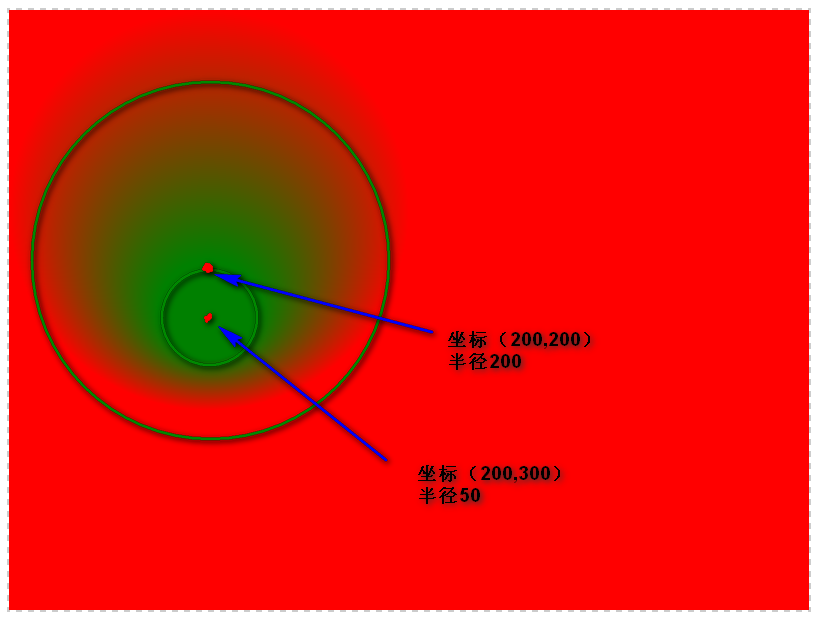
立體圓效果
只要調整放射狀漸層的圓心與半徑,就能讓圓形看起來像球體。這種效果常用於圖表、圖示、光暈與裝飾性圖形。
var gradient = ctx.createRadialGradient(200, 150, 0, 200, 50, 250);
gradient.addColorStop(0, "red");
gradient.addColorStop(1, "#333333");

ctx.fillStyle = gradient;
ctx.fillRect(0, 0, 400, 300);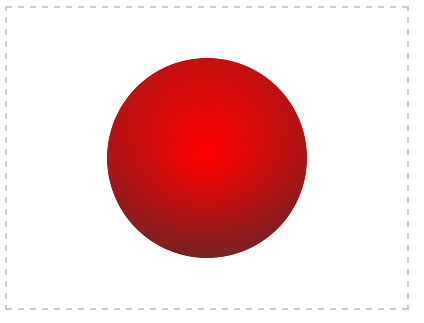
結語
Canvas 的基礎繪圖其實可以拆解成幾個核心概念:路徑、填色、描邊、座標與漸層。只要熟悉 moveTo、lineTo、fillRect、strokeRect、arc、fill、stroke 與漸層物件的使用方式,就能逐步完成更複雜的圖形與動畫效果。
- 上一篇文章: HTML5 ol 標籤用法:reversed、start 與 value 控制序號
- 下一篇文章: 深入解析 SVG 的 viewBox:裁剪、響應式 Art Direction 與畫布擴展