用 JS + Canvas 打造下雨與下雪動畫效果
編輯:JavaScript技巧
做專案時遇到需求:頁面上要有下雨、下雪的動態特效。與其為每個雨滴建立 DOM 節點再逐一改位置,不如把整片動畫交給 Canvas——實作更直觀,效能也更好。於是我把這個效果封裝成一個 drop 組件。
效果預覽
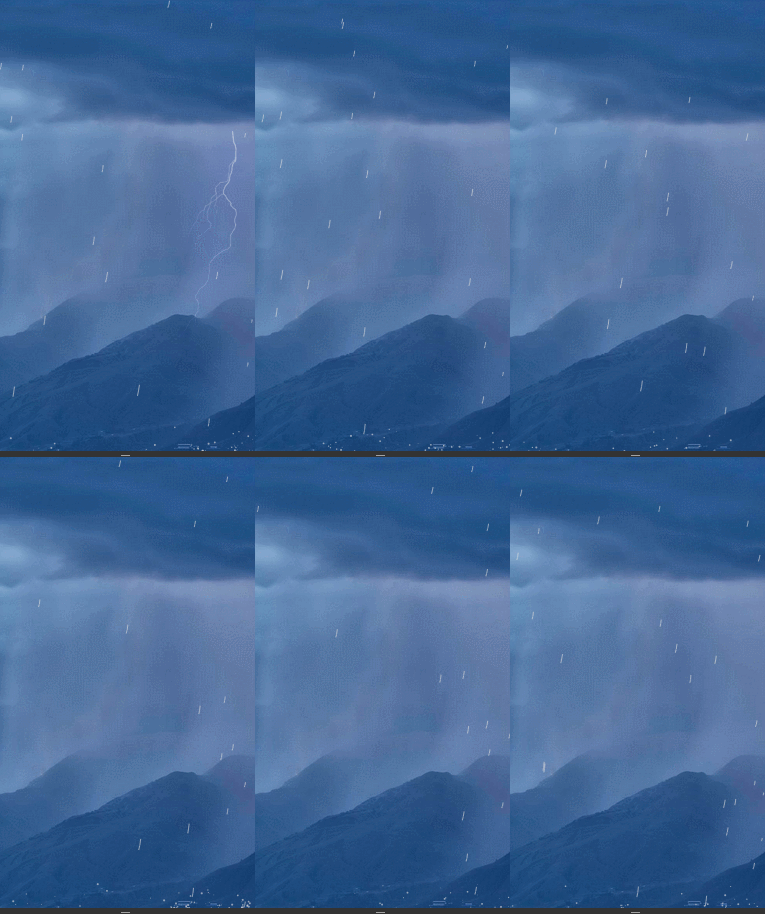
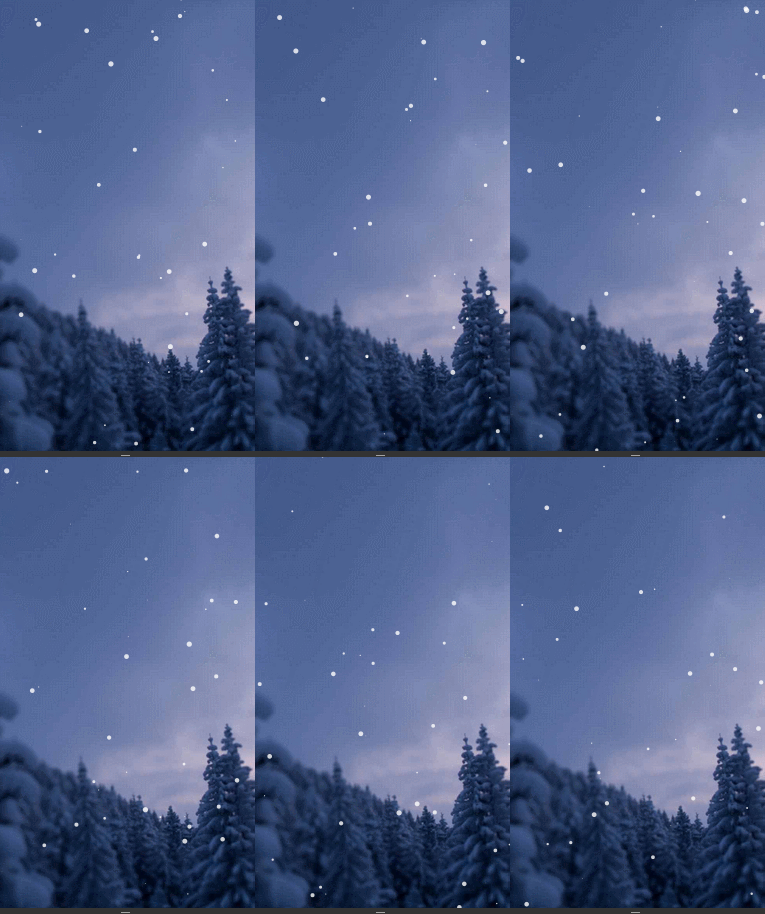
呼叫方式
<!DOCTYPE html>
<html lang="en">
<head>
<meta charset="UTF-8">
<title>Document</title>
<style>
  #canvas { width: 100%; height: 100%; }
</style>
</head>
<body>
<canvas id="canvas"></canvas>
<script src="canvasDrop.js"></script>
<script>
canvasDrop.init({
    type: "rain",        // drop 類型:rain 或 snow
    speed: [0.4, 2.5],   // 速度範圍
    size_range: [0.5, 1.5], // 半徑範圍
    hasBounce: true,     // 是否有落地反彈
    wind_direction: -105,// 風向角度
    hasGravity: true     // 是否計入重力
});
</script>
</body>
</html>
全域變數
// 兩個資料集合:下落物體與落地反彈物體
var drops = [], bounces = [];

var gravity = 0.2;      // 重力加速度,每帧 0.2
var speed_x, speed_y;   // 橫向/縱向速度分量
var wind_anger;         // 風向(弧度)
var canvasWidth, canvasHeight;
var drop_chance;        // 每帧產生 drop 的機率
var OPTS;               // 設定物件

// requestAnimationFrame 相容處理,最舊環境退為每秒 30 帧
window.requestAnimFrame =
    window.requestAnimationFrame ||
    window.webkitRequestAnimationFrame ||
    window.mozRequestAnimationFrame ||
    window.oRequestAnimationFrame ||
    window.msRequestAnimationFrame ||
    function (callback) { window.setTimeout(callback, 1000 / 30); };
三個核心物件
整個組件只定義了三個核心物件。
Vector:速度向量
記錄 x / y 兩軸的速度,單位是「像素/帧」。
var Vector = function (x, y) {
    this.x = x || 0;
    this.y = y || 0;
};

// 速度累加。目前只考慮下落加速,故未實作減速,日後可擴充
Vector.prototype.add = function (v) {
    if (v.x != null && v.y != null) {
        this.x += v.x;
        this.y += v.y;
    } else {
        this.x += v;
        this.y += v;
    }
    return this;
};

// 複製一個同速度的 Vector,用來保存上一帧的位置
Vector.prototype.copy = function () {
    return new Vector(this.x, this.y);
};
Drop:下落物體
也就是畫面裡的雨滴或雪片,之後也能替換成隕石、炮彈等。骨架如下:
var Drop = function () { /* 初始狀態 */ };
Drop.prototype.update = function () { /* 每帧更新狀態 */ };
Drop.prototype.draw = function () { /* 每帧繪製 */ };
建構函式負責初始位置、半徑、速度與速度分量:
var Drop = function () {
    // 隨機決定從哪一側生成
    var randomEdge = Math.random() * 2;
    if (randomEdge > 1) {
        this.pos = new Vector(50 + Math.random() * canvas.width, -80);
    } else {
        this.pos = new Vector(canvas.width, Math.random() * canvas.height);
    }

    // 半徑與速度皆在設定範圍內隨機取值,並乘以 DPR 以適配高解析度螢幕
    this.radius = (OPTS.size_range[0] + Math.random() * OPTS.size_range[1]) * DPR;
    this.speed  = (OPTS.speed[0] + Math.random() * OPTS.speed[1]) * DPR;
    this.prev = this.pos;

    // 角度轉弧度:乘以 2PI/360 ≈ 0.017453293
    wind_anger = OPTS.wind_direction * 0.017453293;

    // 將速度分解到兩軸
    speed_x = this.speed * Math.cos(wind_anger);
    speed_y = -this.speed * Math.sin(wind_anger);

    this.vel = new Vector(speed_x, speed_y);
};
update 負責每帧的狀態變化:
Drop.prototype.update = function () {
    this.prev = this.pos.copy();
    if (OPTS.hasGravity) {
        this.vel.y += gravity;
    }
    this.pos.add(this.vel);
};
draw 負責每帧的繪製。雨用貝茲曲線拉出細長的水痕,雪則畫成小圓點:
Drop.prototype.draw = function () {
    ctx.beginPath();
    if (OPTS.type == "rain") {
        ctx.moveTo(this.prev.x, this.prev.y);
        var ax = Math.abs(this.radius * Math.cos(wind_anger));
        var ay = Math.abs(this.radius * Math.sin(wind_anger));
        ctx.bezierCurveTo(
            this.pos.x + ax, this.pos.y + ay,
            this.prev.x + ax, this.prev.y + ay,
            this.pos.x, this.pos.y
        );
        ctx.stroke();
    } else {
        ctx.moveTo(this.pos.x, this.pos.y);
        ctx.arc(this.pos.x, this.pos.y, this.radius, 0, Math.PI * 2);
        ctx.fill();
    }
};
Bounce:落地反彈
雨滴落地濺起的水花,也可以替換成碎石或煙塵。這部分很單純:
var Bounce = function (x, y) {
    var dist = Math.random() * 7;
    var angle = Math.PI + Math.random() * Math.PI;
    this.pos = new Vector(x, y);
    this.radius = 0.2 + Math.random() * 0.8;
    this.vel = new Vector(Math.cos(angle) * dist, Math.sin(angle) * dist);
};

Bounce.prototype.update = function () {
    this.vel.y += gravity;
    this.vel.x *= 0.95;   // 模擬阻力
    this.vel.y *= 0.95;
    this.pos.add(this.vel);
};

Bounce.prototype.draw = function () {
    ctx.beginPath();
    ctx.arc(this.pos.x, this.pos.y, this.radius * DPR, 0, Math.PI * 2);
    ctx.fill();
};
對外介面:update
動畫主迴圈。清畫布、更新並繪製所有 drop、處理落地與反彈、補充新物件,最後排下一帧。
function update() {
    var d = new Date;
    ctx.clearRect(0, 0, canvas.width, canvas.height);

    var i = drops.length;
    while (i--) {
        var drop = drops[i];
        drop.update();

        if (drop.pos.y >= canvas.height) {
            if (OPTS.hasBounce) {
                var n = Math.round(4 + Math.random() * 4);
                while (n--) bounces.push(new Bounce(drop.pos.x, canvas.height));
            }
            drops.splice(i, 1);
        }
        drop.draw();
    }

    if (OPTS.hasBounce) {
        var j = bounces.length;
        while (j--) {
            var bounce = bounces[j];
            bounce.update();
            bounce.draw();
            if (bounce.pos.y > canvas.height) bounces.splice(j, 1);
        }
    }

    if (drops.length < OPTS.maxNum) {
        if (Math.random() < drop_chance) {
            var k = 0, len = OPTS.numLevel;
            for (; k < len; k++) drops.push(new Drop());
        }
    }

    requestAnimFrame(update);
}
對外介面:init
初始化畫布、取得像素比、設定尺寸與樣式。
function init(opts) {
    OPTS = opts;
    canvas = document.getElementById(opts.id);
    ctx = canvas.getContext("2d");

    // 高解析度螢幕:畫布實際像素需乘以 DPR
    DPR = window.devicePixelRatio;
    canvasWidth  = canvas.clientWidth * DPR;
    canvasHeight = canvas.clientHeight * DPR;
    canvas.width  = canvasWidth;
    canvas.height = canvasHeight;

    drop_chance = 0.4;
    setStyle();
}

function setStyle() {
    if (OPTS.type == "rain") {
        ctx.lineWidth = 1 * DPR;
        ctx.strokeStyle = 'rgba(223,223,223,0.6)';
        ctx.fillStyle = 'rgba(223,223,223,0.6)';
    } else {
        ctx.lineWidth = 2 * DPR;
        ctx.strokeStyle = 'rgba(254,254,254,0.8)';
        ctx.fillStyle = 'rgba(254,254,254,0.8)';
    }
}
後續可優化之處
這個版本求快,仍有幾個明顯的改進空間:
1. 對外參數偏少,可調的彈性不足,抽象層不夠乾淨;
2. setStyle 只提供最基本的樣式,顏色、粗細、透明度都應該參數化;
3. Drop 與 Bounce 的 update / draw 應該開放覆寫,讓使用方能自訂下落速度變化與外觀;
4. 缺少 pause、加速、減速等播放控制介面。
整體寫下來,會發現 Canvas 在 H5 場景的動畫表達力還有很多值得挖掘的空間。
相關文章
-
用 HTML5 與 jQuery 打造全螢幕煙花特效 點一下讓圖片「長」出來:用 setTimeout 逐格改高度的淡入小特效 純 JavaScript 打造下雨與下雪動畫:不用一行 Flash 跟著滑鼠跑的圖片,還拖一條橡皮筋似的線 HTML5 Canvas 旋轉動畫的兩種寫法(含旋轉太極圖) 用 HTML5 Canvas 模擬平拋運動:小球拋射過程實作 用 HTML5 打造 iPhone 風格開機界面示例 HTML5 Canvas 效能優化技巧整理 HTML5 實作動畫的三種方式:Canvas、CSS3 與 jQuery 對比 HTML5 進度條特效:用 Canvas 做出帶粒子飛散的載入動畫