這一節的內容多半是 HTML 既有標籤的樣式化,難度不高,但值得重新認識一次——因為 Bootstrap 在細節上做了不少調整,而這些細節直接影響頁面的整體質感。
標題
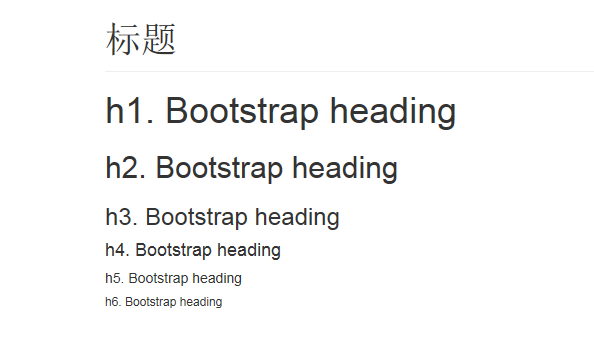
<h1> 到 <h6> 全部可用,另外還提供 .h1 至 .h6 的 class,讓行內文字也能借用標題樣式而不破壞文件結構。
<h1 class="page-header">頁面標題</h1>
<h1>h1. Bootstrap heading</h1>
<h2>h2. Bootstrap heading</h2>
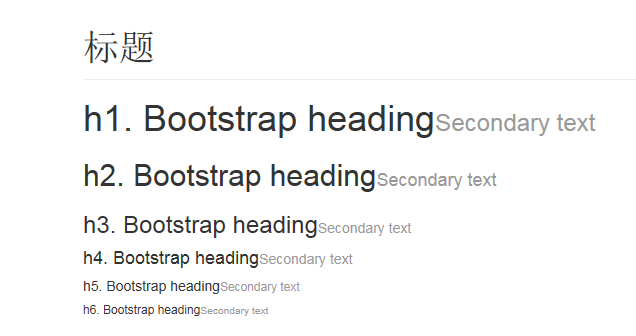
標題內可以嵌入 <small> 或 .small 作為副標,Bootstrap 會自動調整字級與顏色:
<h2>h2. Bootstrap heading<small>Secondary text</small></h2>
頁面主體
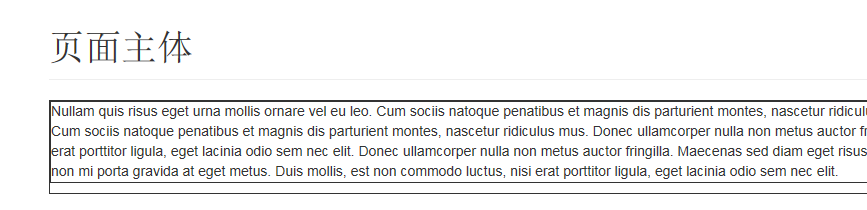
Bootstrap 預設把全域 font-size 設為 14px、line-height 設為 1.428,並套用於 <body> 與所有段落;<p> 另外擁有相當於半行高(約 10px)的下邊距。這也是為什麼 Bootstrap 頁面的文字節奏看起來比瀏覽器預設更舒服。
Lead(引言段落)
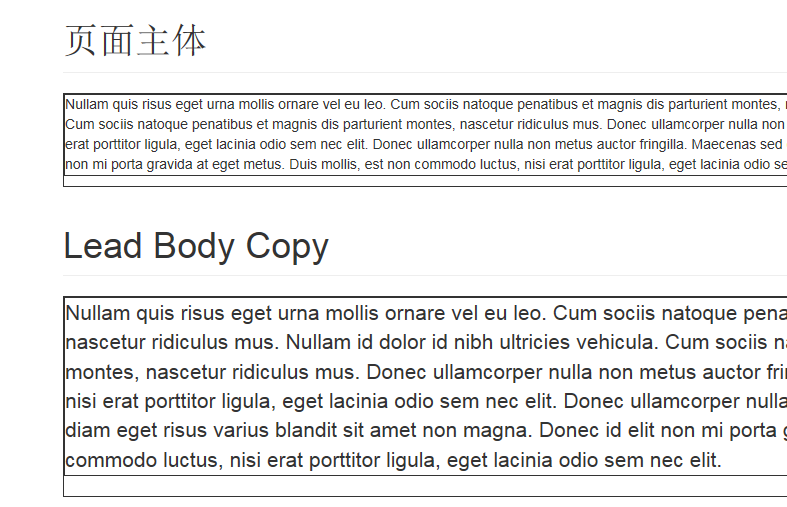
加上 .lead 可以放大並加重段落,常用於文章開頭的導言:
<p class="lead">Nullam quis risus eget urna mollis ornare vel eu leo...</p>
強調
小字、粗體、斜體
<small>這行文字會被視為補充說明</small>
<strong>rendered as bold text</strong>
<em>rendered as italicized text</em>
<small> 會把文字設為父元素字級的 85%;但在標題內另有調整。行內元素也可以直接用 .small 取代。
對齊 class
<p class="text-left">Left aligned text.</p>
<p class="text-center">Center aligned text.</p>
<p class="text-right">Right aligned text.</p>
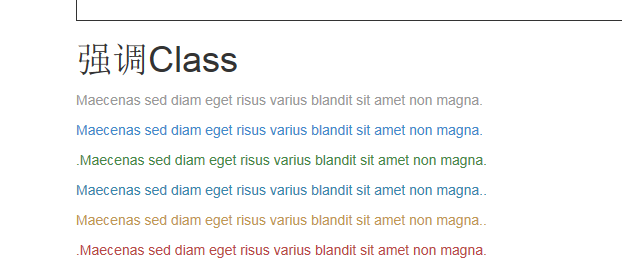
強調色 class
用顏色表達語意:.text-muted、.text-primary、.text-success、.text-info、.text-warning、.text-danger。套用在連結上時,滑鼠移入的顏色變化也會一併處理。
縮寫
Bootstrap 強化了 <abbr>:帶 title 屬性時,外觀會顯示虛線底框,滑鼠移上去變成問號游標,停留一下就會看到完整名稱。
<abbr title="attribute">attr</abbr>

<!-- 全大寫縮寫可加上 .initialism 讓字級再小一點 -->
<abbr title="HyperText Markup Language" class="initialism">HTML</abbr>
地址
<address> 用來呈現聯絡資訊,行尾加上 <br> 可以保留換行格式:
<address>
  <strong>Twitter, Inc.</strong><br>
  795 Folsom Ave, Suite 600<br>
  San Francisco, CA 94107<br>
  <abbr title="Phone">P:</abbr> (123) 456-7890
</address>

引用
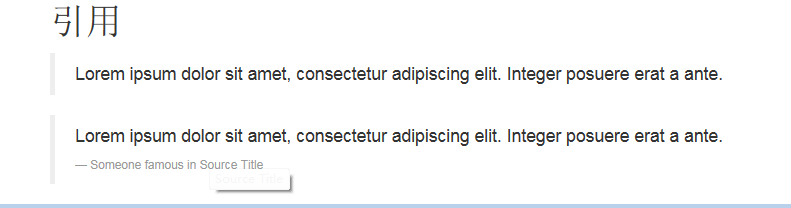
把內容包進 <blockquote> 即為引用,直接引用時建議再包一層 <p>。
<blockquote>
  <p>Lorem ipsum dolor sit amet, consectetur adipiscing elit.</p>
</blockquote>

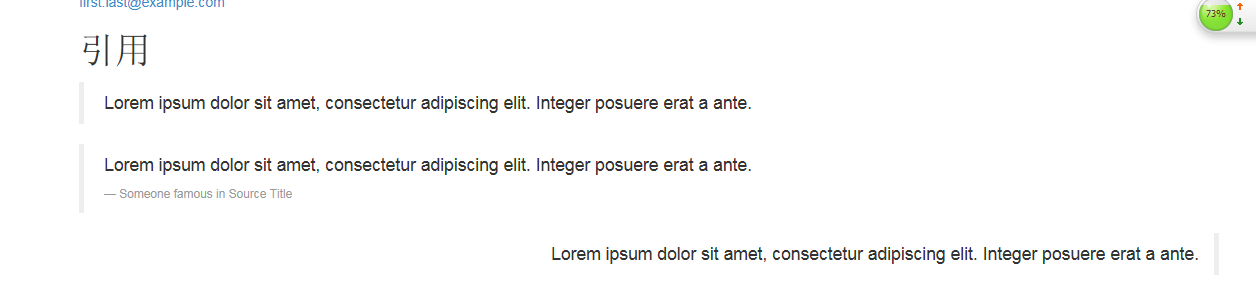
加上 <small> 與 <cite> 可以標註出處;加上 .pull-right 則讓整段引用靠右呈現(對應的還有 .pull-left)。
<blockquote>
  <p>Lorem ipsum dolor sit amet...</p>
  <small>Someone famous in <cite title="Source Title">Source Title</cite></small>
</blockquote>

<blockquote class="pull-right"> ... </blockquote>
列表
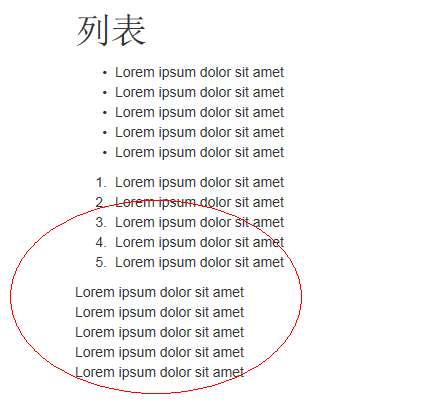
無序 <ul>、有序 <ol> 與 HTML 行為一致,Bootstrap 另外補了兩個實用變體:
<!-- 移除項目符號與左邊距(只影響直接子元素,巢狀清單需各自套用) -->
<ul class="list-unstyled"> ... </ul>

<!-- 讓所有項目排在同一行 -->
<ul class="list-inline"> ... </ul>
定義清單 <dl> 一樣可用,加上 .dl-horizontal 後,術語與描述會並排在同一行,適合規格表、參數說明這類內容。
<dl class="dl-horizontal">
  <dt>Lorem ipsum</dt>
  <dd>Lorem ipsum dolor sit amet...</dd>
</dl>
附錄:程式碼呈現
行內片段用 <code>:
For example, <code><section></code> should be wrapped as inline.

多行程式碼用 <pre>,並記得把角括號做轉義處理,否則會被瀏覽器當成標籤:
<pre><p>Sample text here...</p></pre>

再搭配 .pre-scrollable,可以限制最大高度 350px 並在垂直方向出現捲軸,避免長程式碼把版面撐爆。
小結
這一節的價值在於「重新認識熟悉的標籤」:原來 <dl> 適合做規格列表、原來引用可以靠右排版、原來程式碼區塊還有高度限制的技巧。所謂溫故知新,大概就是這個意思。
- 上一篇文章: Bootstrap 3 學習筆記:表格的七種樣式與響應式處理
- 下一篇文章: Bootstrap 3 網格系統實戰:七個必學案例
相關文章
-
XML 教程(15):XSL 格式化物件 學習使用 Bootstrap3 柵格系統 讓 Bootstrap 3 在 IE8 下正常運作:完整設定步驟 Bootstrap 3 與 Foundation 5:兩種設計哲學的碰撞 Bootstrap 3 在 input 輸入框中嵌入 glyphicon 圖標 Bootstrap 3 環境建置入門:下載、檔案結構與第一個頁面 Bootstrap 3 建站教學:表單元素排版實作 Bootstrap 3 搭配 typeahead.js 與 Bloodhound 實作自動完成 Bootstrap 3 快速做出搜尋框 jQuery + Bootstrap3 購物車前端實作